End-to-end visual & radiometric AI pipelines, built for the plant floor.
Capture, label, train and deploy computer vision & thermal (IR) models against your own data — without leaving the plant. From dataset management to visual pipelines running in production, Q-Forge Vision is the visual AI workshop integrated into QUANTUM Industrial Studio.
A short tour of Q-Forge Vision — from dataset management to live pipelines on the EAF and ladle floor.
Q-Forge Vision module — product overview · @ANTAutomation
A complete vision & IR analytics stack — datasets, training, pipelines and runtime — wired directly into your plant data.
RGB, monochrome and radiometric thermal — same pipeline, same tooling.
Organize, version and curate visual datasets without leaving the platform.
Label in-app or import existing tags. No external annotation roundtrips.
Set up, launch and monitor training runs with real-time charts.
Validate models against held-out samples and tune thresholds before deploy.
Block-based pipelines combining detection, tracking, OCR, gates and rules.
Run pipelines live on plant streams with deterministic outputs into QUANTUM tags.
Describe the goal in natural language; the assistant proposes a working pipeline.
From raw frames to a production pipeline — every stage in one workbench.
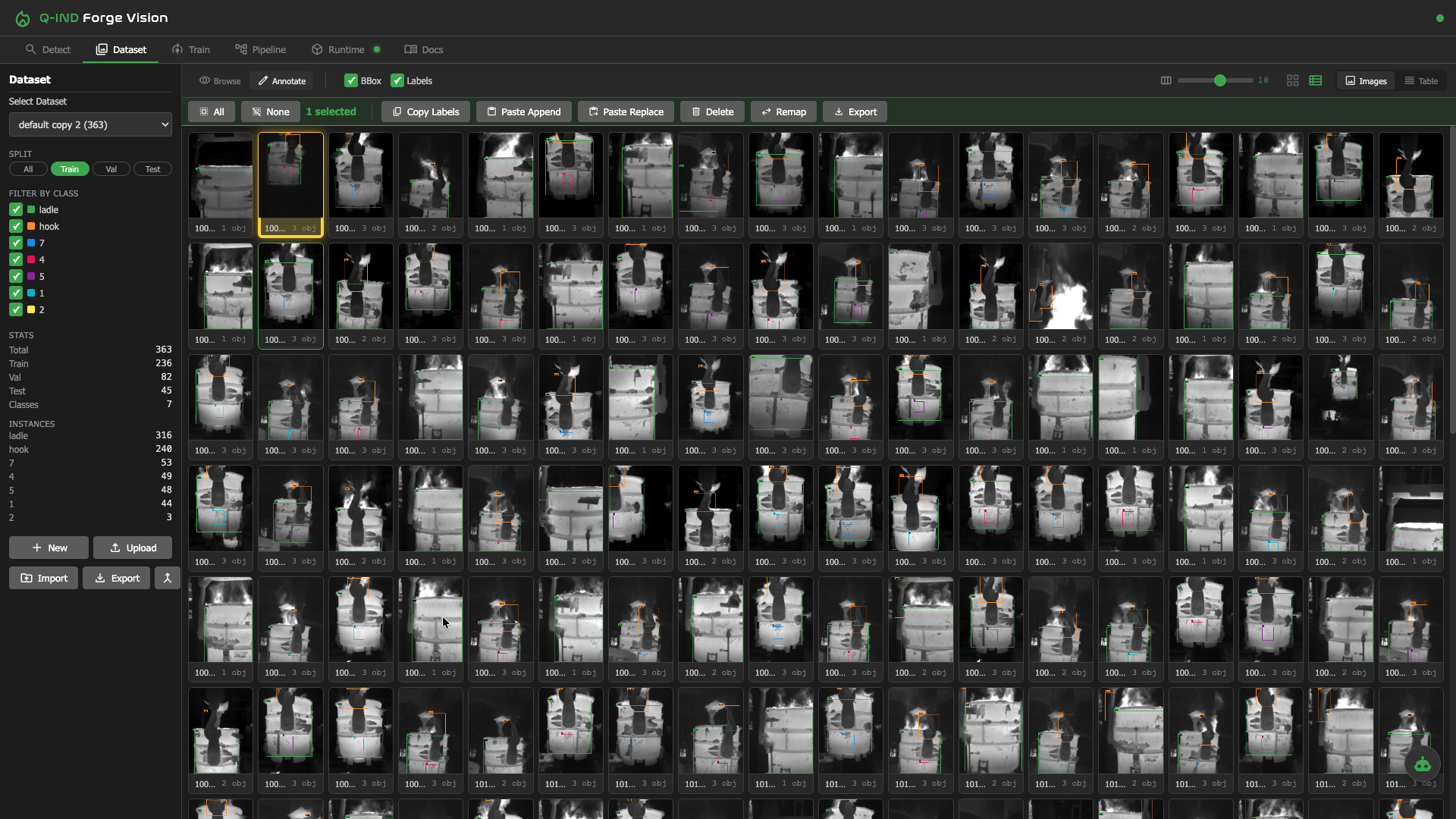
Build, version and inspect visual datasets without exporting anything. Track samples, splits and class balance from one panel.
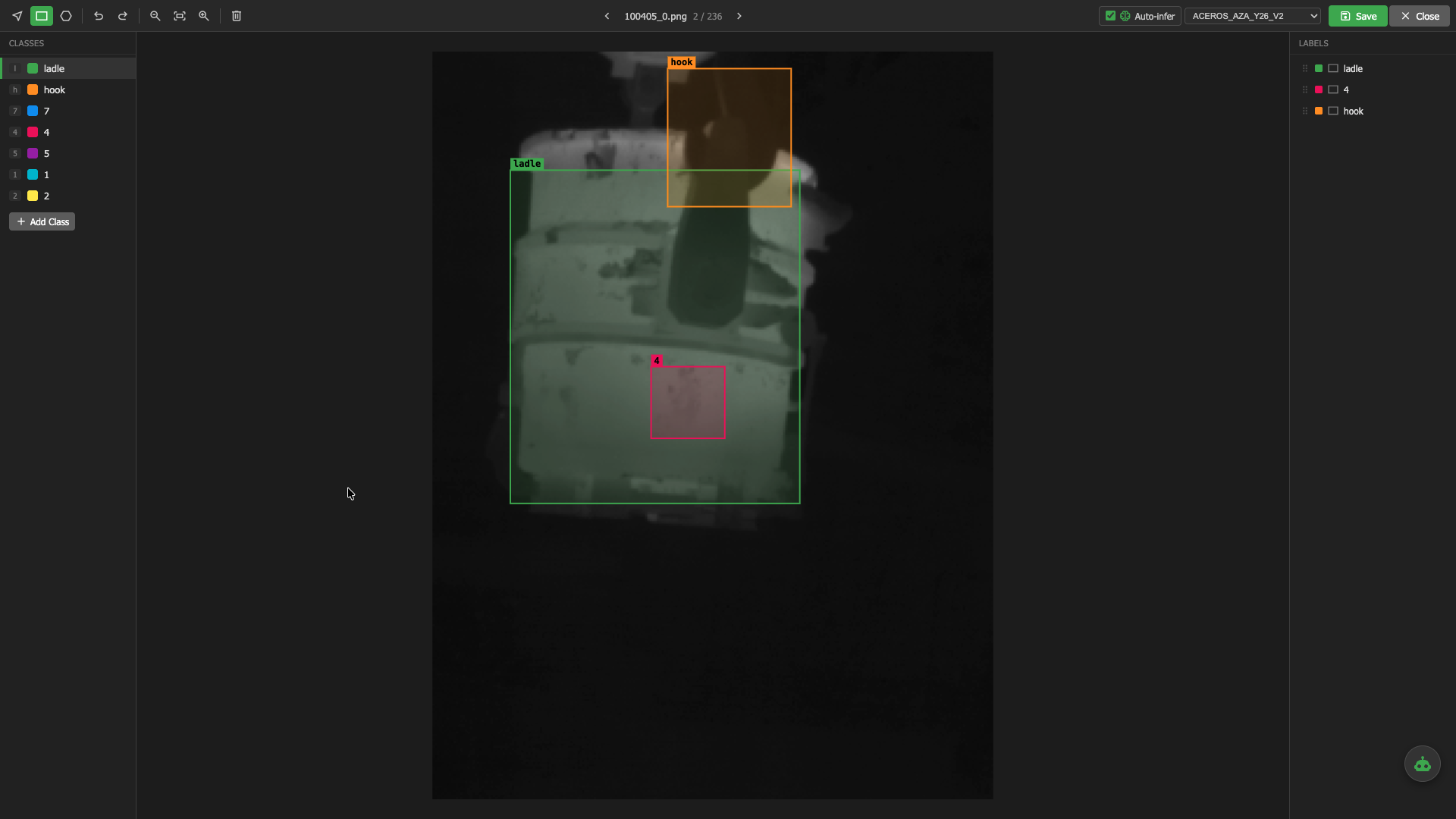
Label directly in Q-Forge Vision, or import tags from your existing annotation tooling. No external labelling roundtrips.
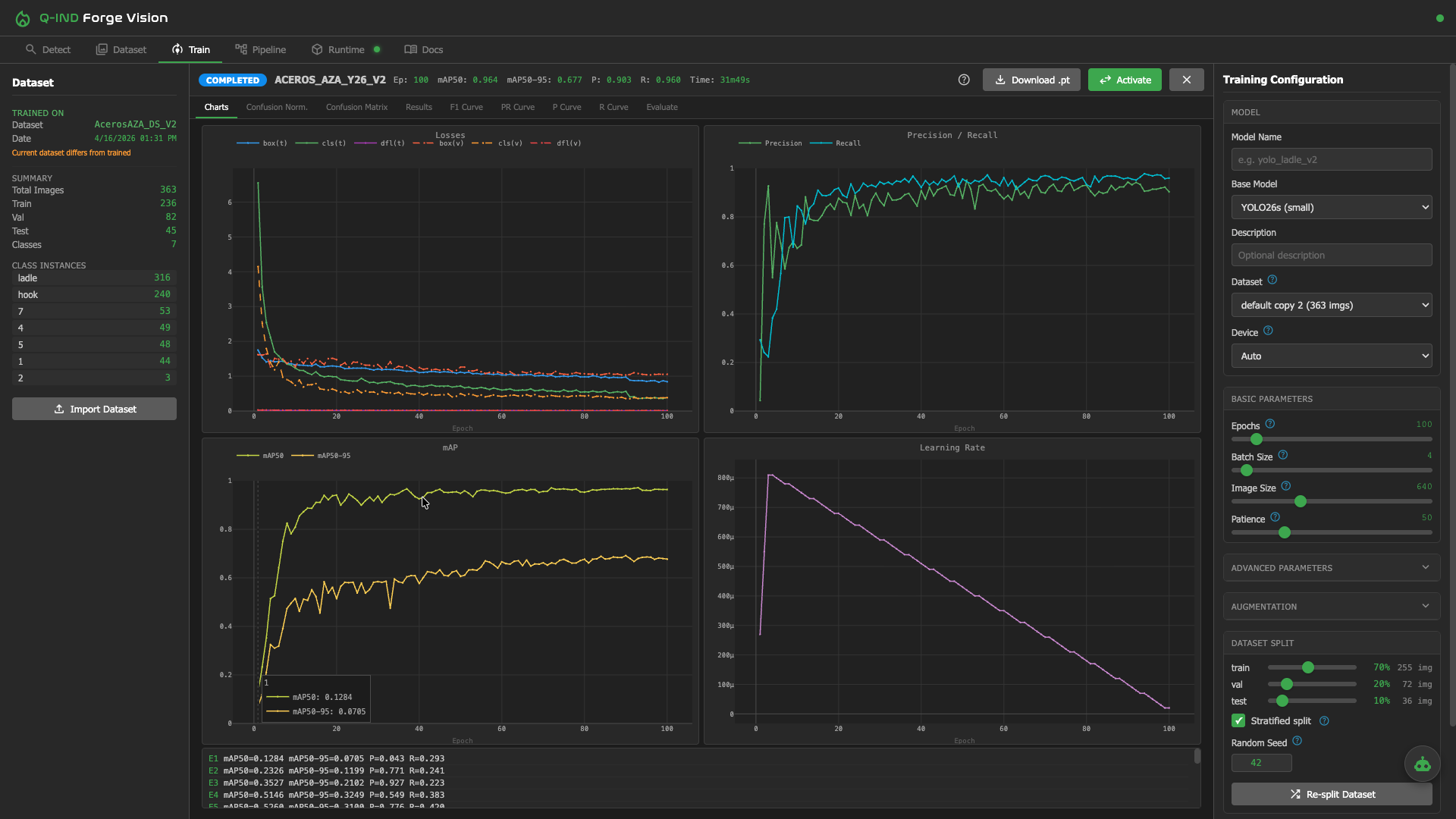
Configure training jobs and monitor loss, accuracy and validation curves in real time. Iterate without context switching.
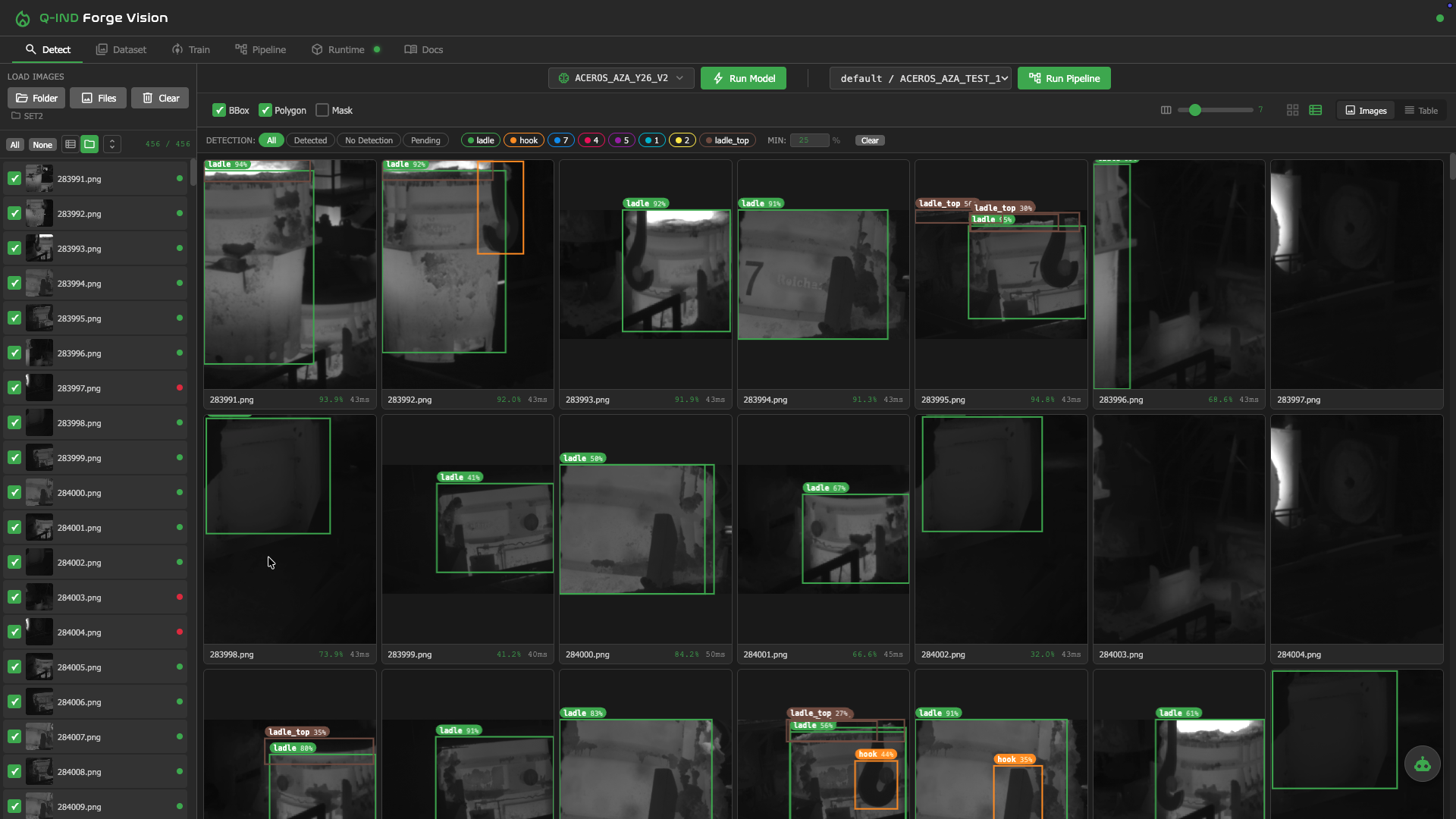
Sweep thresholds, inspect detections frame by frame and confirm the model is ready before it goes live on production streams.
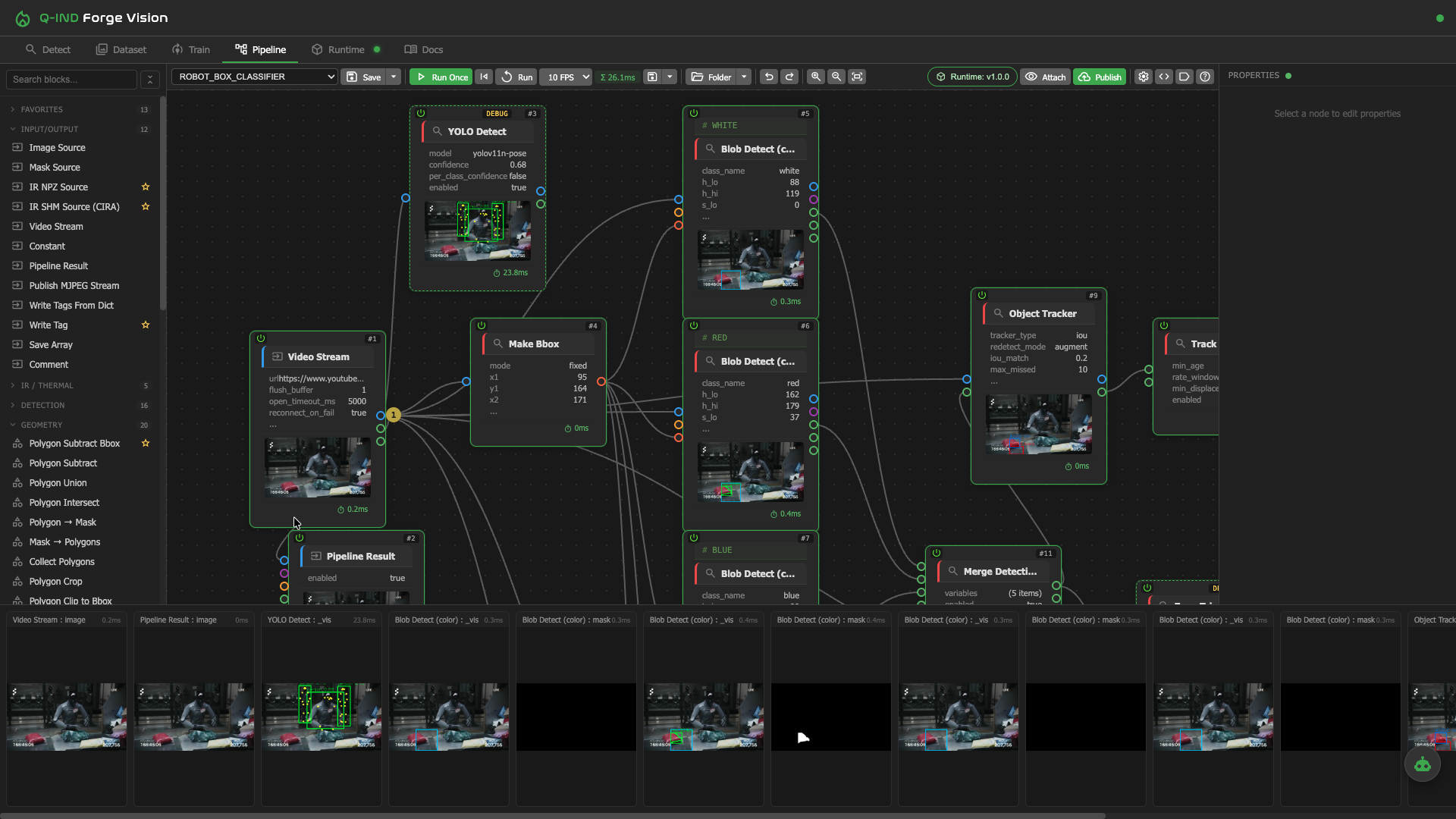
Compose detection, tracking, OCR, ROI gates, rules and outputs into a single, inspectable pipeline. Outputs land in QUANTUM tags — ready for alarms, screens or PdM.
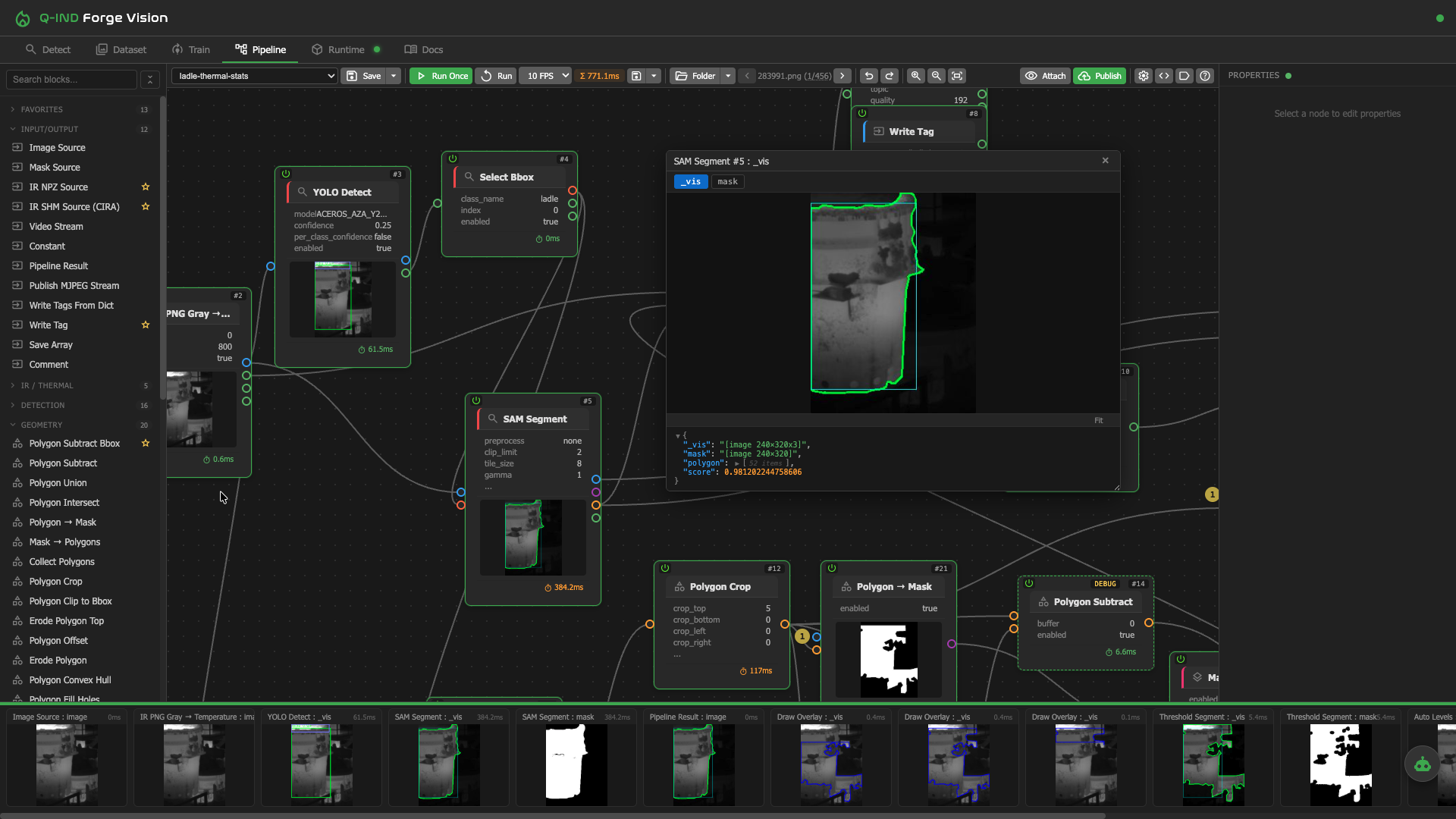
Real production example — a pipeline that locates ladles in the melt shop, reads identifiers, tracks them across cameras and emits cycle time and temperature metadata for downstream analytics.
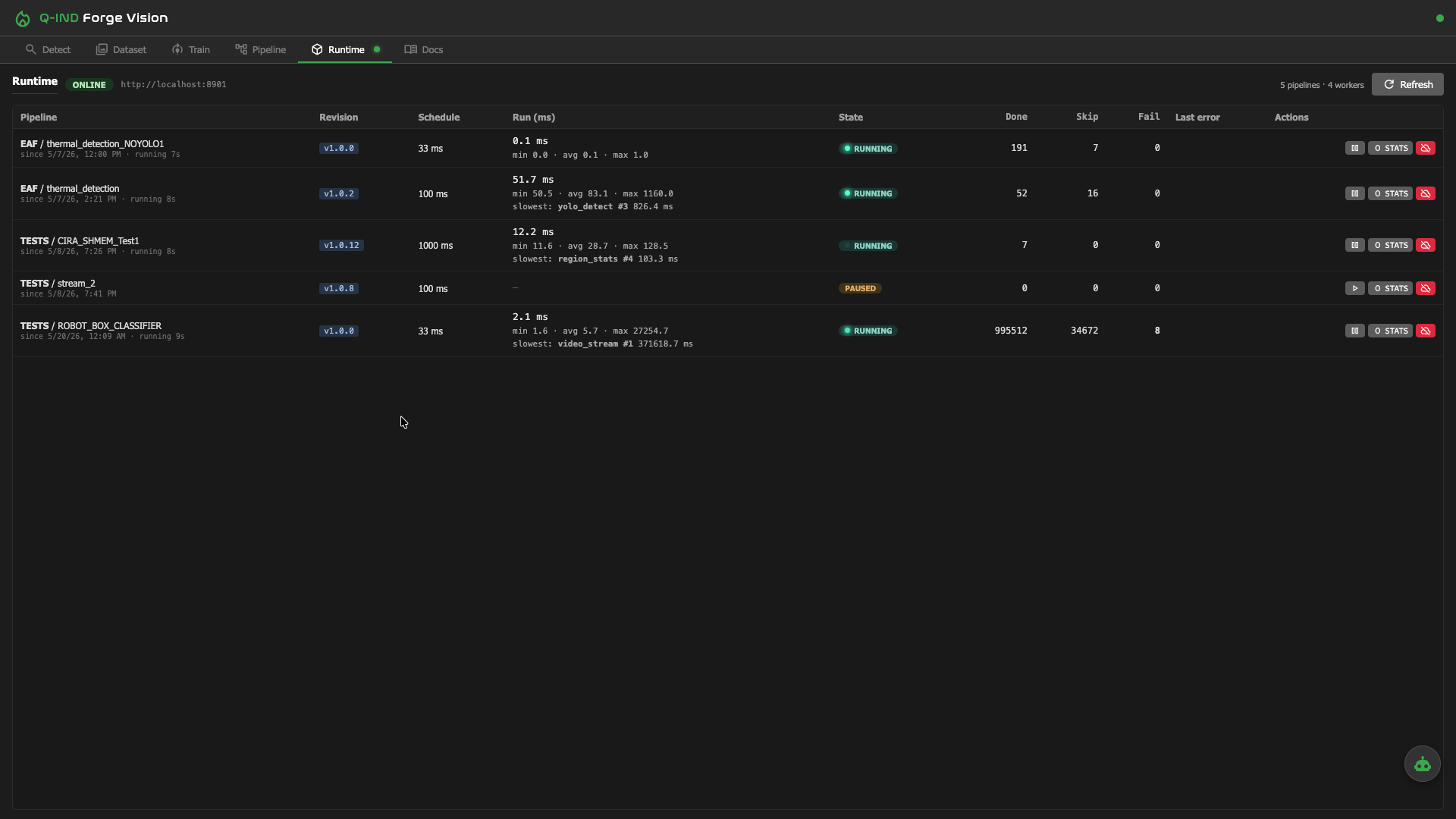
Promote a pipeline to runtime and watch it execute against live streams. Outputs flow into QUANTUM tags for trending, alarms, 3D mimics and Q-PdM.
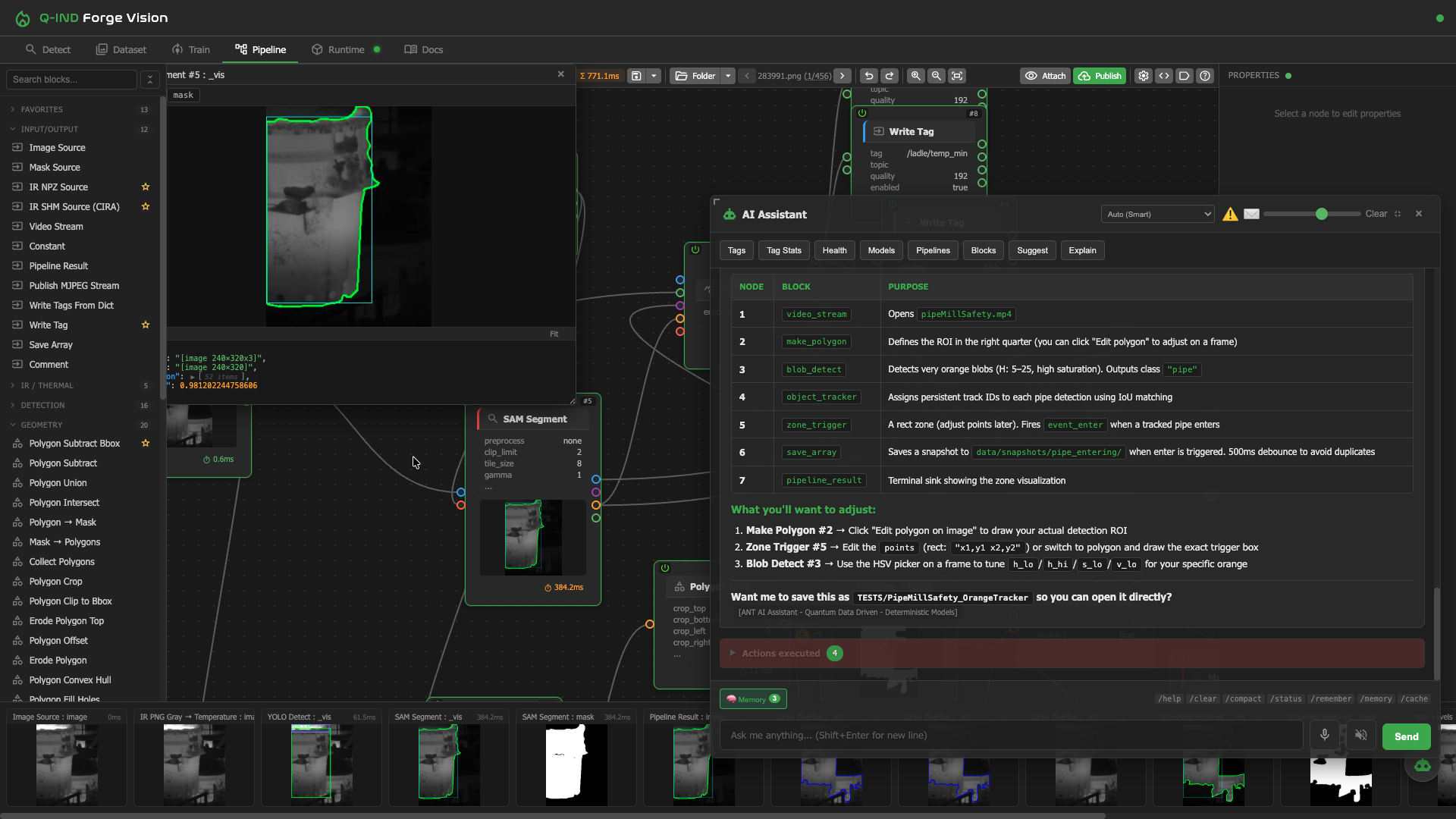
Describe what you want — "detect missing parts on conveyor, flag anything in zone B for more than 10 seconds" — and the assistant proposes a working pipeline you can edit.
Every block ships with inline reference docs. No tab-switching to figure out what a parameter means.
Real production deployments — primary steelmaking, secondary metallurgy and beyond.
Radiometric IR analytics detect refractory wear and hot spots on ladle shells during crane transport — AISTech 2026 paper application.
Continuous thermal surveillance of EAF water-cooled panels. Spots elevated panel temperatures before they become incidents.
Computer vision measures freeboard height in real time — critical for refractory life, capacity planning and stirring quality.
Thermal pipelines monitor the EAF tap-hole (EBT) state — tap flow, slag carry-over and tap-hole condition between heats.
Detects slag carry-over on the EAF-to-ladle pour stream in real time — protect ladle refractory and downstream metallurgy by catching slag as it appears.
— More applications —
Q-Forge Vision ships with the Industrial tier of QUANTUM Industrial Studio. Tell us about your visual problem and we'll scope it with you.