AR-guided procedures, VR-certified operators, real-time supervision.
Digitize critical maneuvers once — then execute them AR-guided on iPad and Apple Vision Pro, train and certify operators in immersive VR on Meta Quest, coordinate multiple workers with digital Lockout/Tagout, and supervise the whole floor live from a Control Room. Live plant sensors overlay directly on the equipment. Every step recorded. Every deviation flagged.
A complete AR + VR platform for safety-critical Standard Operating Procedures — authoring, execution, supervision, certification and audit — wired straight into the real-time signals your plant already publishes.
Node-graph editor: navigate, verify, checklist, decision, parallel work, tagout — drag & drop.
iPad AR, Apple Vision Pro, Meta Quest, Android tablet and web simulator — same procedure, any device.
Real hasp-model Lockout/Tagout: multiple workers on one point, personal locks, supervisor override with audit reason.
Manager sees every operator's current step, progress, LOTO state and alarms — can message or abort remotely.
Steps verify via PLC tag readback, position and object recognition. Operator can confirm manually if auto-verify fails.
Balluff, MQTT, OPC-UA, S7 — live tag values float as AR labels next to the physical equipment.
Q-XR Studio exports platform-agnostic scenarios — run the same VR training on Quest 3 today, Vision Pro tomorrow.
Adaptive VR scenarios grade the operator, detect safety deviations, unlock the next level based on score.
Commissioning crew marks 3D asset positions once — chevrons, holograms and instructions snap to the right control.
Photo, position, checklist and time evidence per step. Immutable log for compliance and safety review.
Estimated time per step. Warn at 1.2×, alarm at 2× — the supervisor sees it before the operator does.
Wi-Fi drops? Executions and evidence queue on-device and sync automatically when the network comes back.
Field-proven mapping to the exact PoC shape asked of us by industrial customers — automotive, steel and energy plants that need to digitize high-voltage switching, cable transfer, load shedding and permit-to-work routines.
Q-SOP-XR pairs the AR-guided field execution runtime with an immersive VR training studio — the same asset catalog and procedure model powers both.
For the operator in front of the equipment. Runs on iPad and Apple Vision Pro. Overlays step instructions, PLC signals and safety warnings directly on the switchgear, panel or valve.
For the trainer and the trainee. A block-based visual authoring studio for VR/MR training scenarios — adaptive branching, scoring, mode-gated difficulty, video-triggered sequences — exported to Meta Quest 3 today and Apple Vision Pro next.
Same procedures. Same asset catalog. Different device for the job at hand — a phone in a plant walkdown, a Vision Pro at the switchgear, a Quest headset in the training room, a laptop in the control room.
From procedure authoring to VR certification, live field execution and Control Room supervision — a single closed loop.
— Authoring —
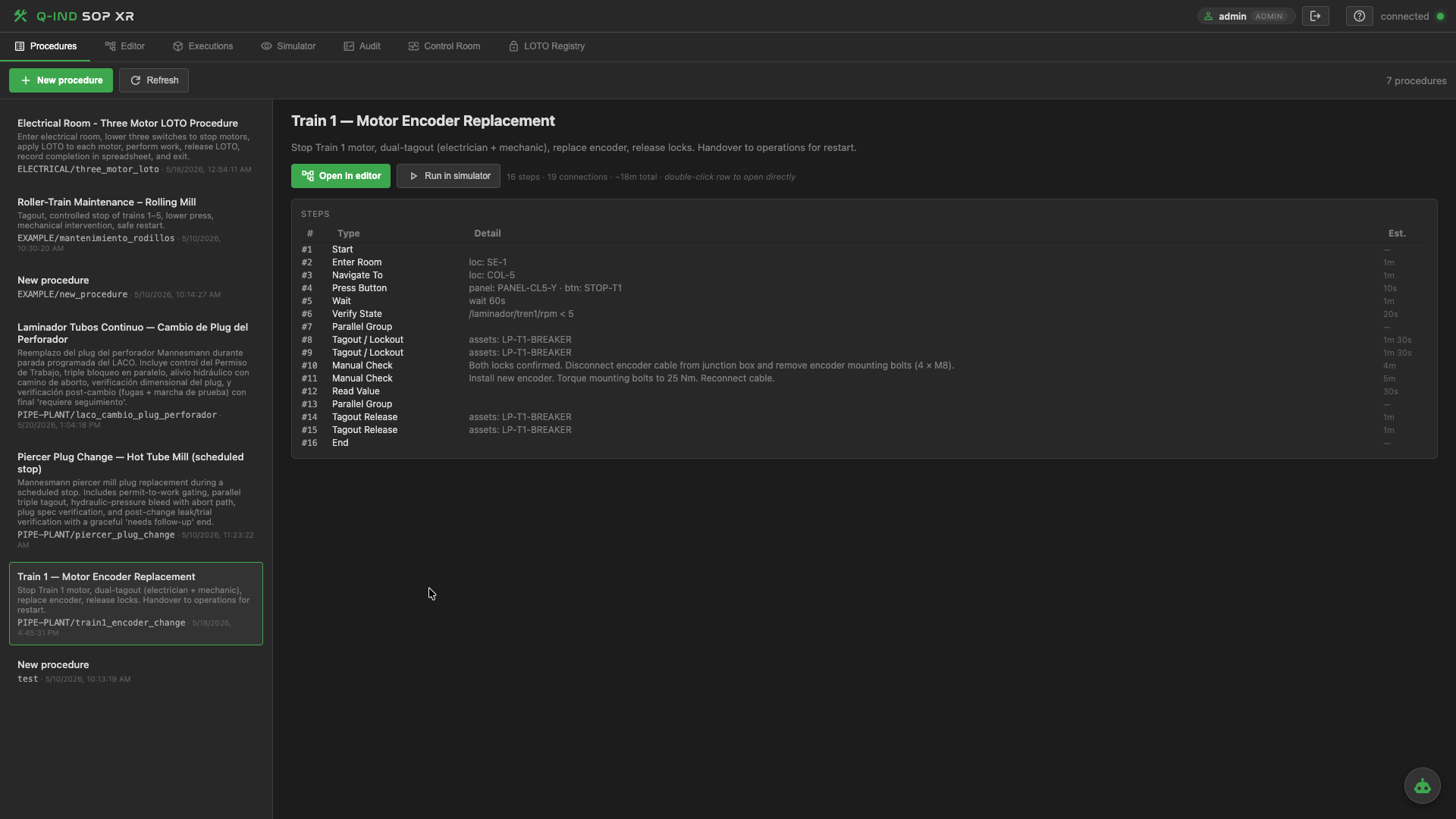
All of your critical maneuvers in one place — substation restoration, busbar transfer, boiler start-up, piercer plug change, ladle handling. Owned by the engineering team, versioned, searchable, ready to run.
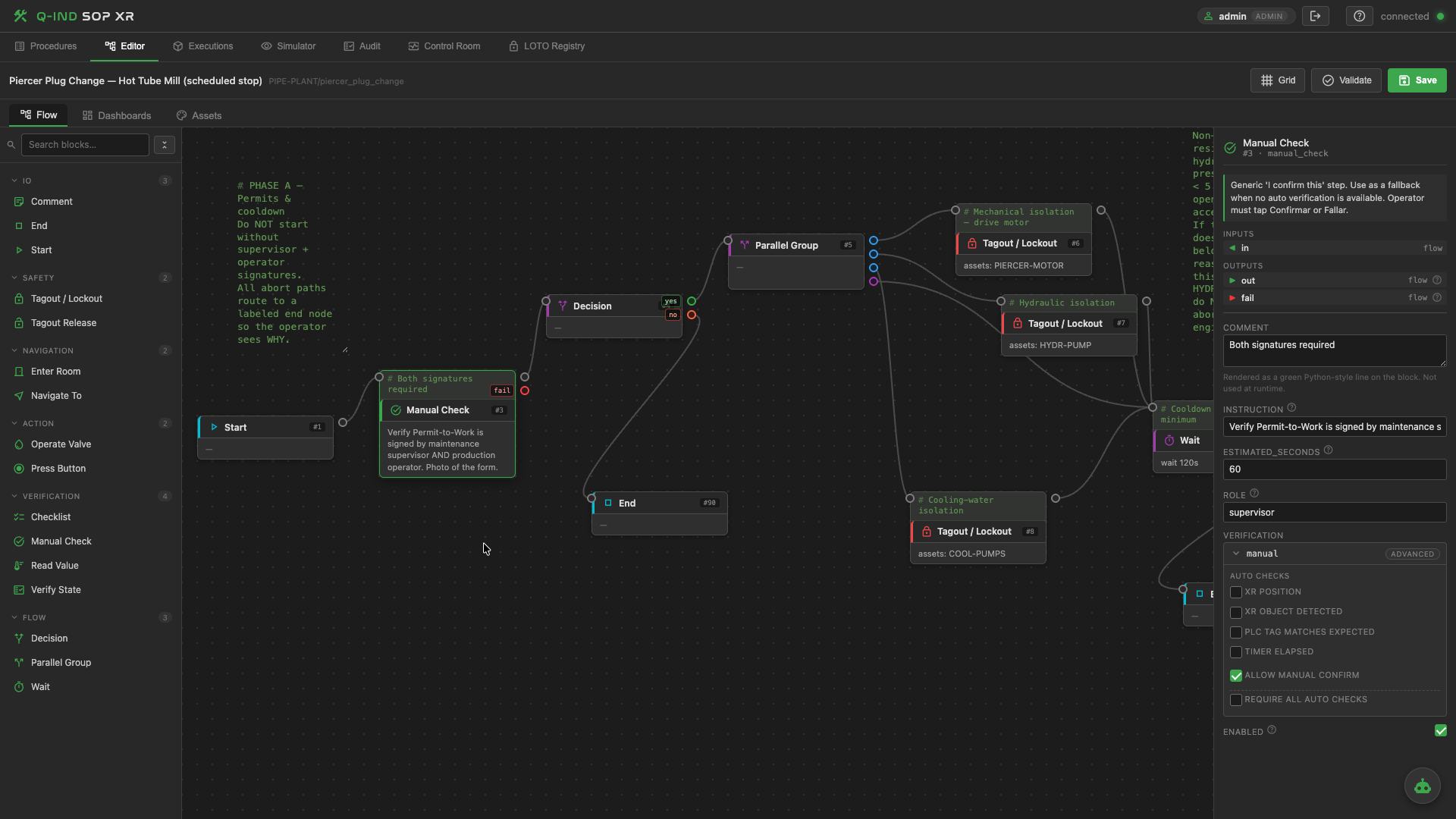
A visual builder for engineers who write procedures — not for developers. Drop nodes for navigation, verification, checklists, decisions, parallel work and lockout. Estimate time per step so the runtime can warn on drift.
navigate_to, press_button, verify_state, manual_check, checklist, tagout, decision, parallel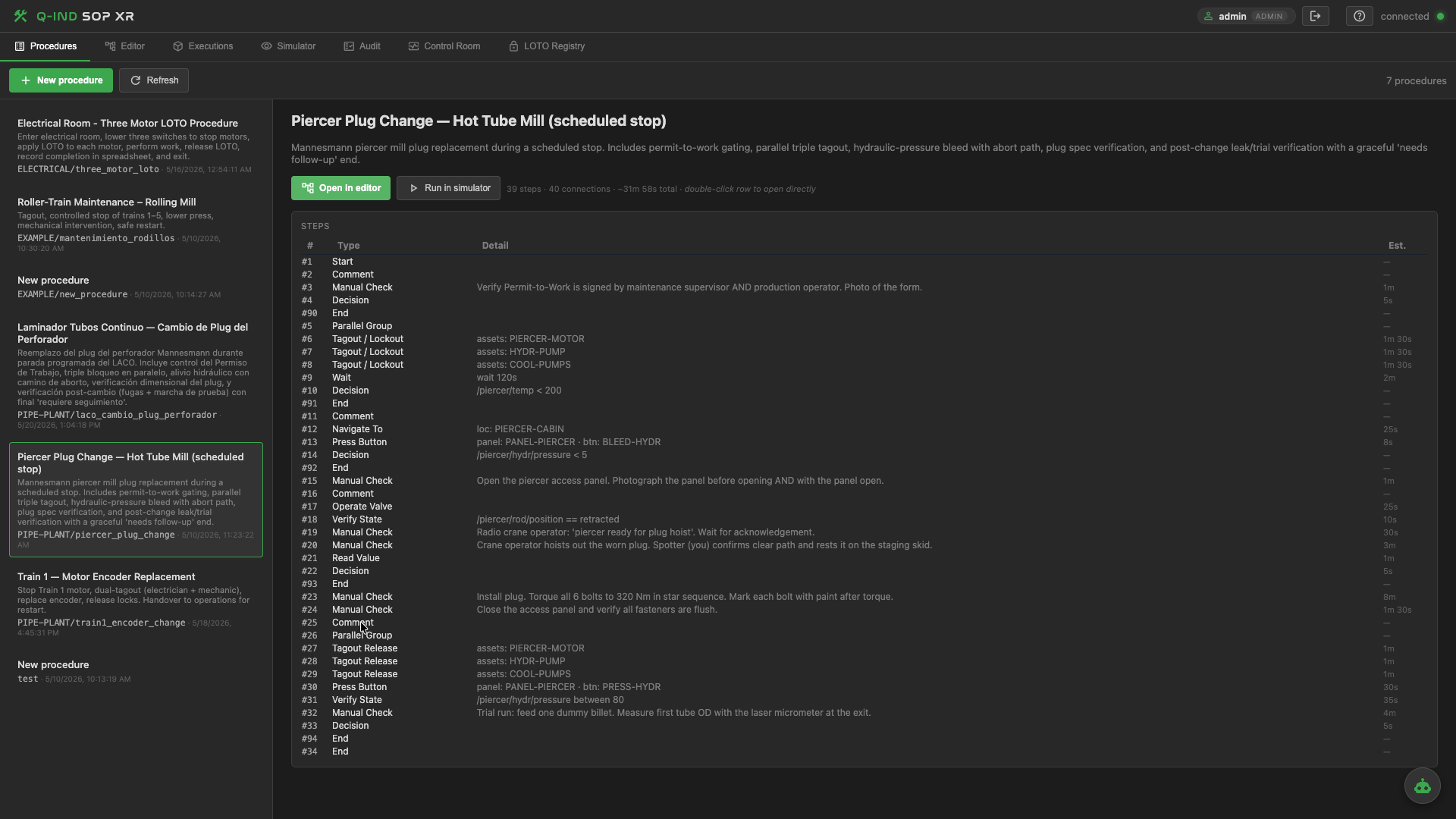
Every procedure resolves to a clear ordered step list — the same shape a substation switching sequence takes today, just structured and executable. Each step carries its instructions, safety cues, verification method and expected duration.
— Assets & live data —
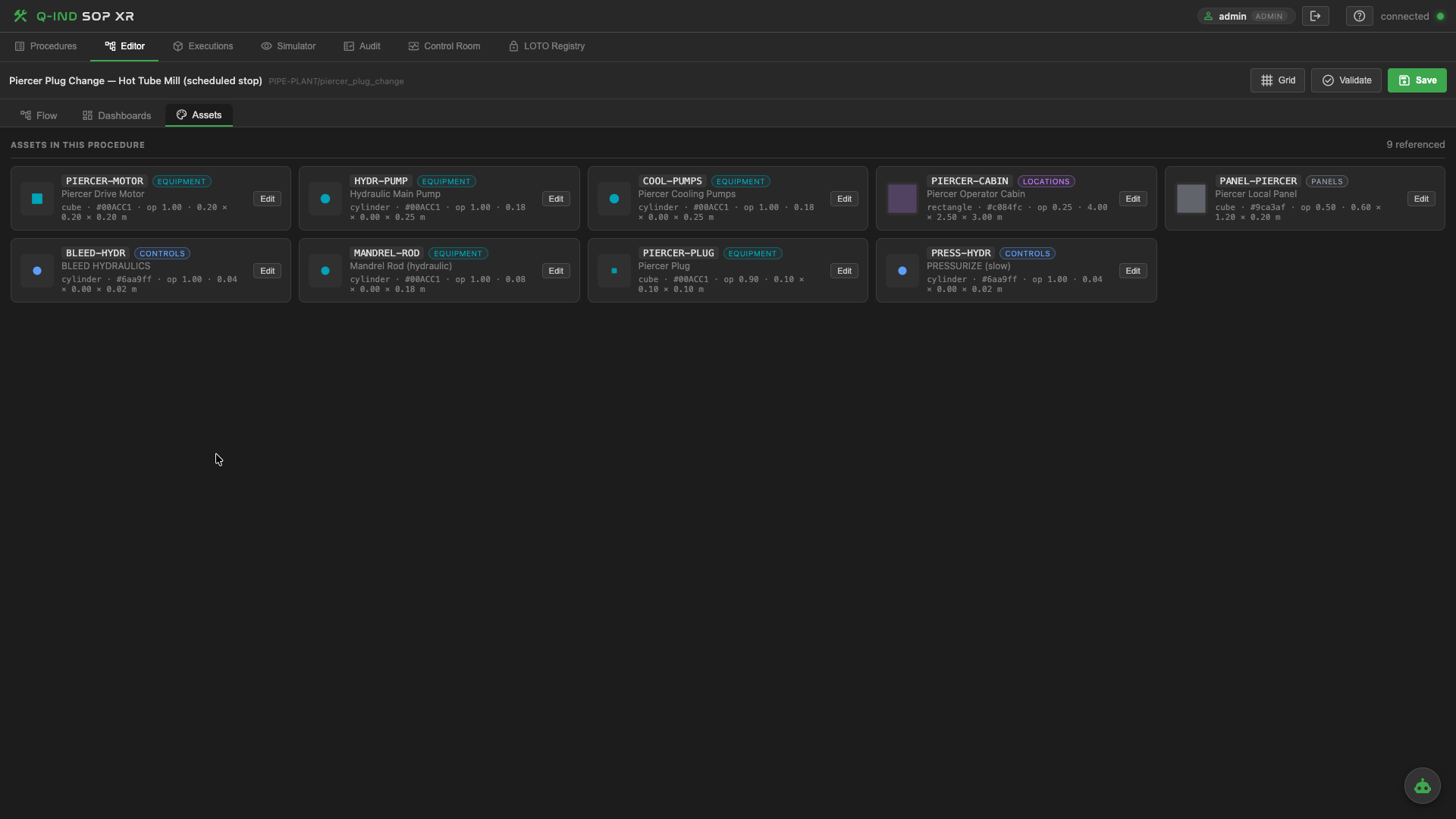
One catalog covers equipment, panels, controls, indicators, lockout points and locations — with visual hints (shape, color, size) that the XR client uses to anchor guidance to the real world.
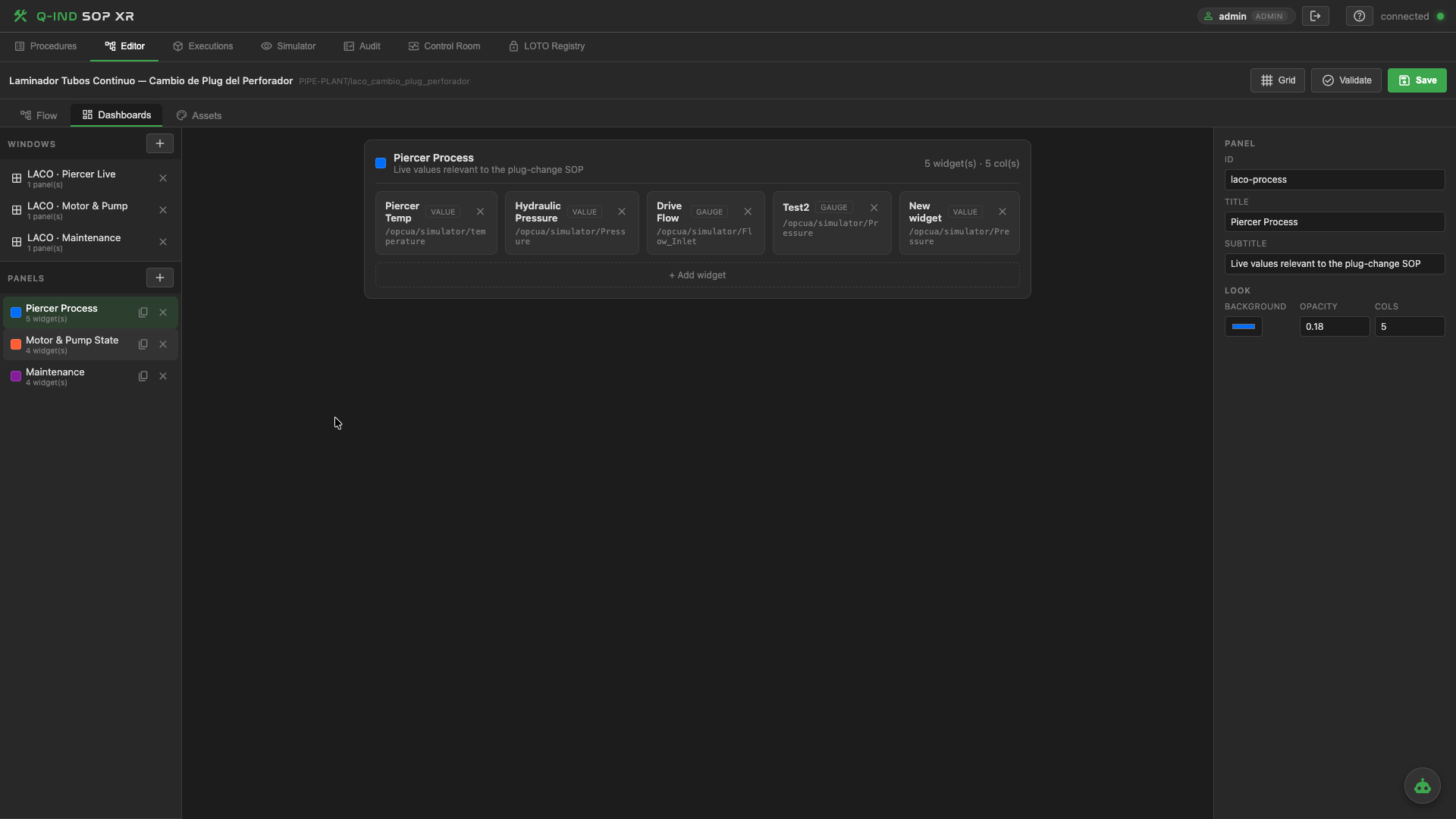
Each procedure carries a live dashboard: voltage, current, temperature, state, position — the tags the operator needs while running the step. Values stream from Balluff IO-Link, S7 PLCs, OPC-UA and MQTT.
— Execution & simulation —
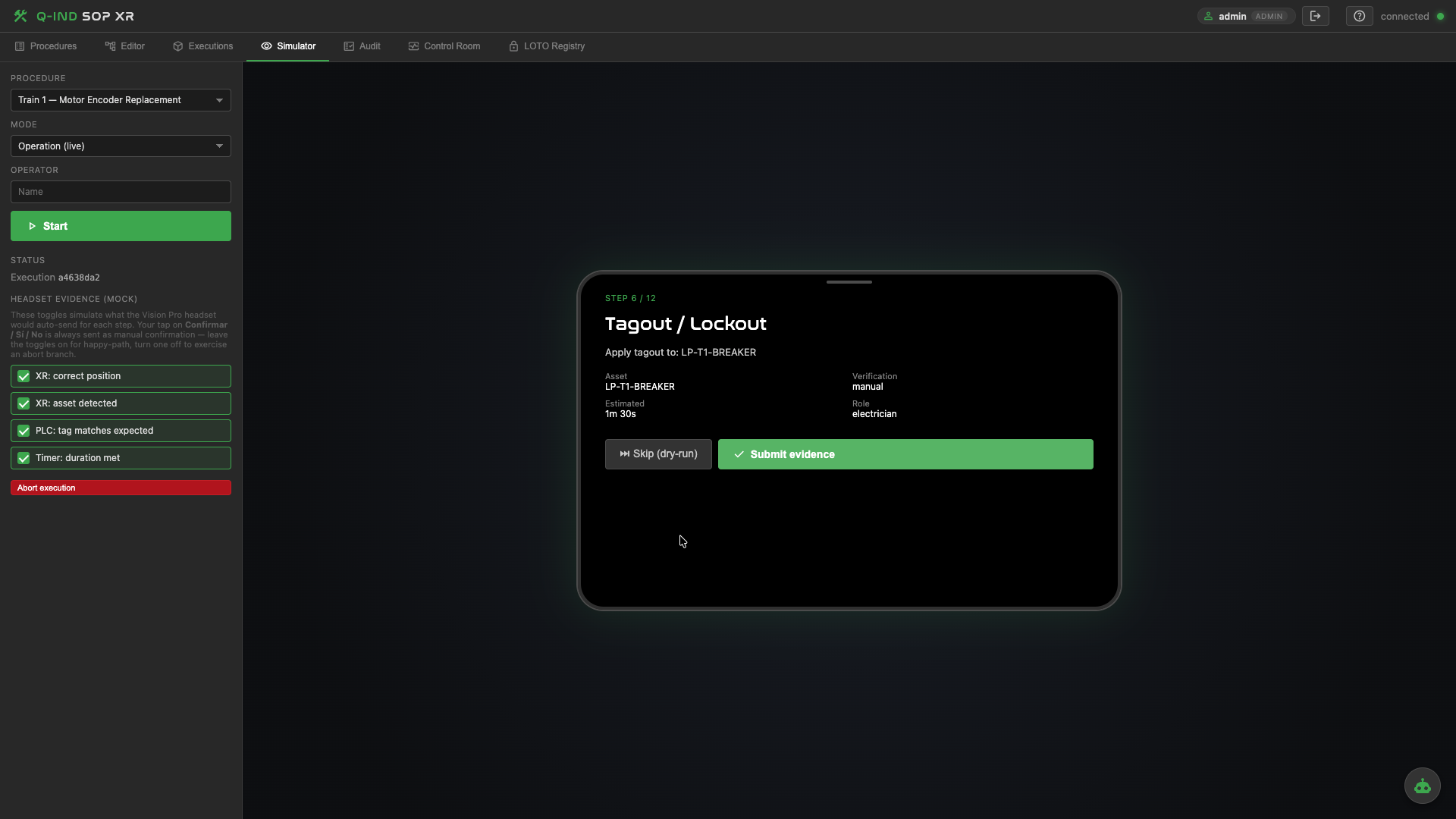
The full runtime engine in a browser — author validates the procedure, walks the steps, applies lockouts, submits evidence and sees exactly what an iPad or Vision Pro operator will see. No need for headset time to iterate.
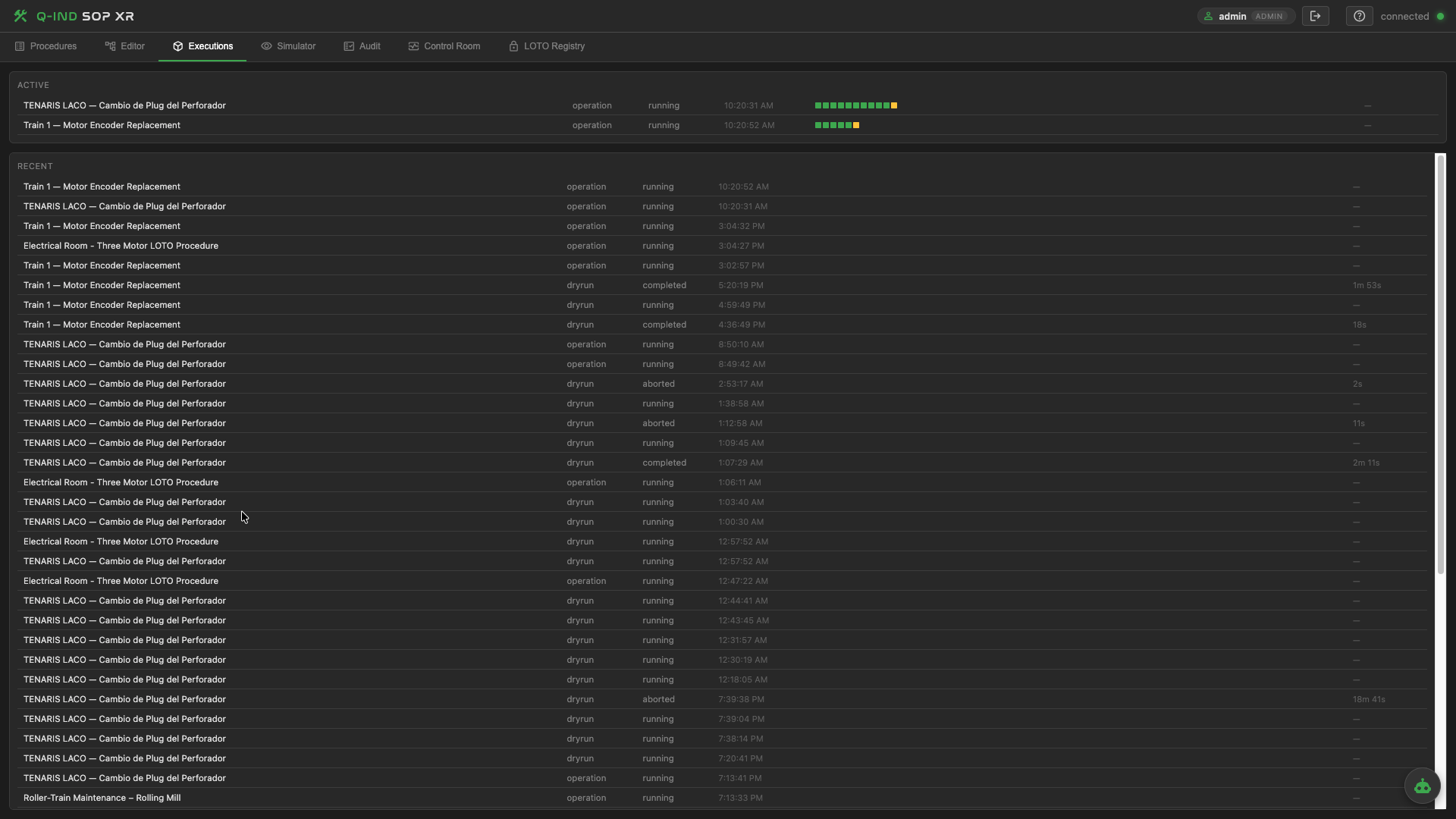
Every SOP run kept: operator, shift, duration, deviations, evidence. A queryable record of what actually happened at the substation, the melt shop, the boiler house — not what someone wrote down at the end of the shift.
— Supervision —
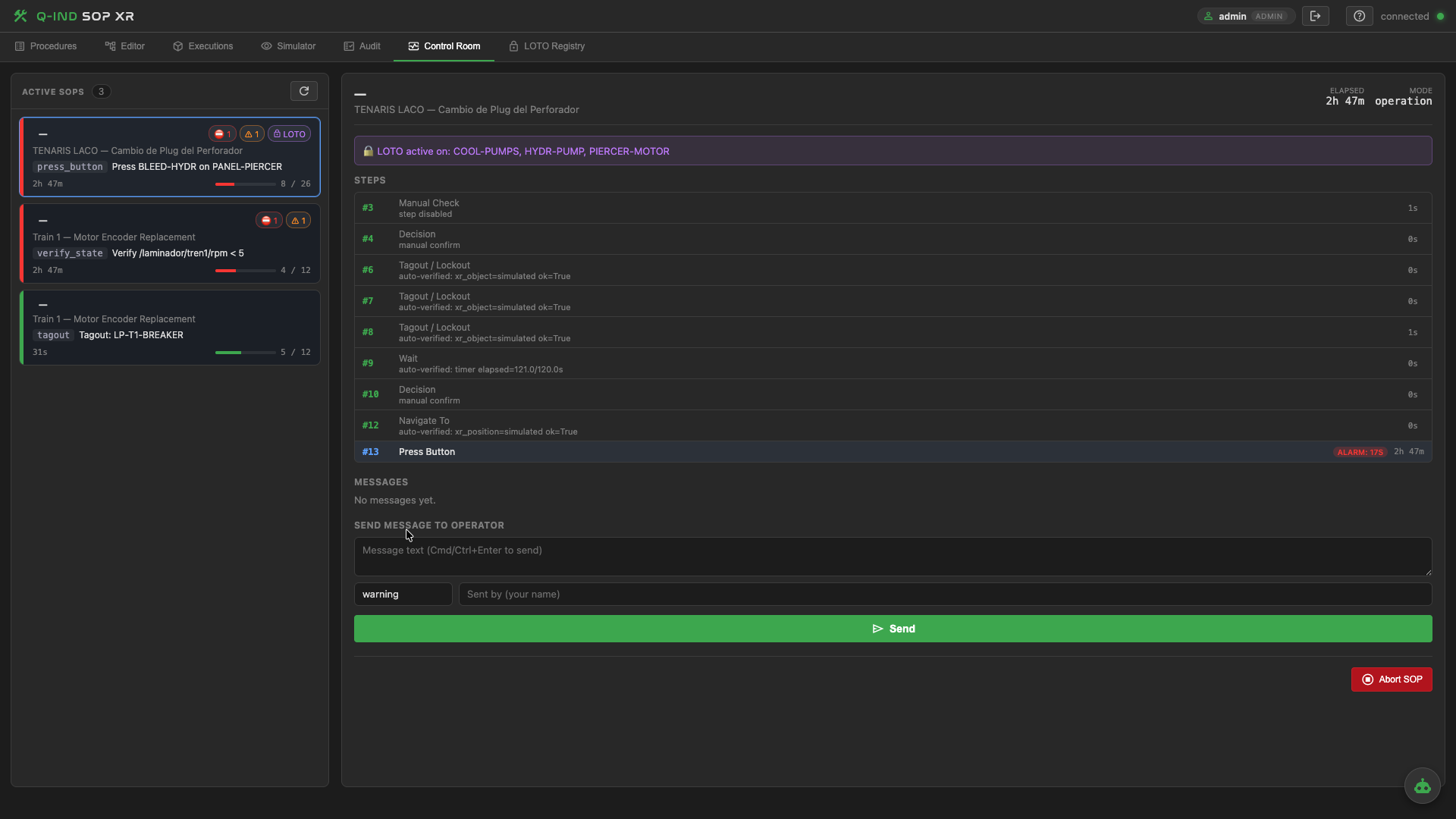
Every active procedure on one screen. Which operator, which step, which LOTO active, which timer is drifting. The supervisor can send a message, request confirmation or abort remotely — without radio guesswork.
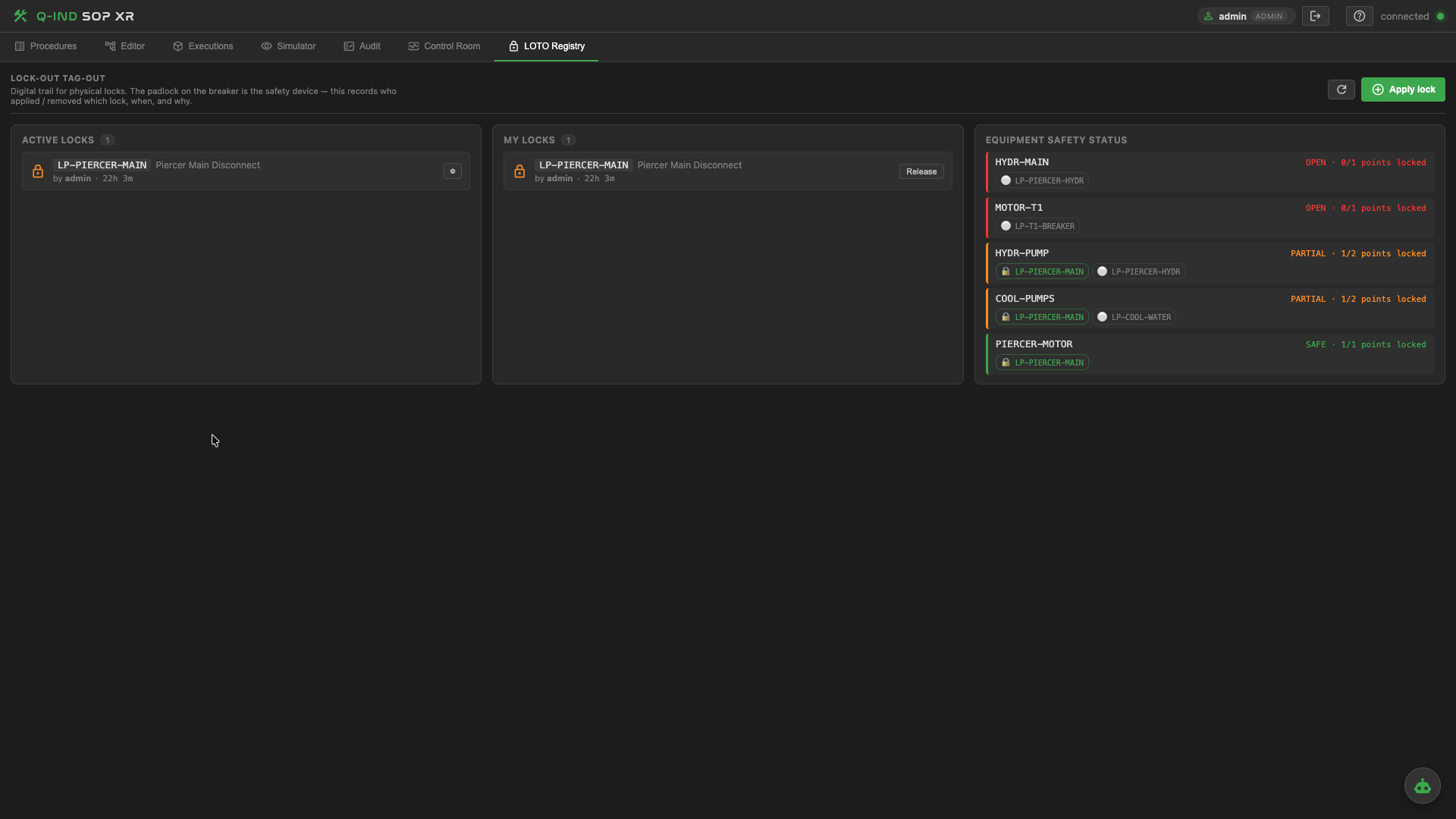
Locks the way real crews do it: multiple workers can each apply a personal lock to the same isolation point — and only the last lock releases energization. Locks persist beyond the procedure. Supervisors can override with an audit reason when needed.
— Audit & analytics —
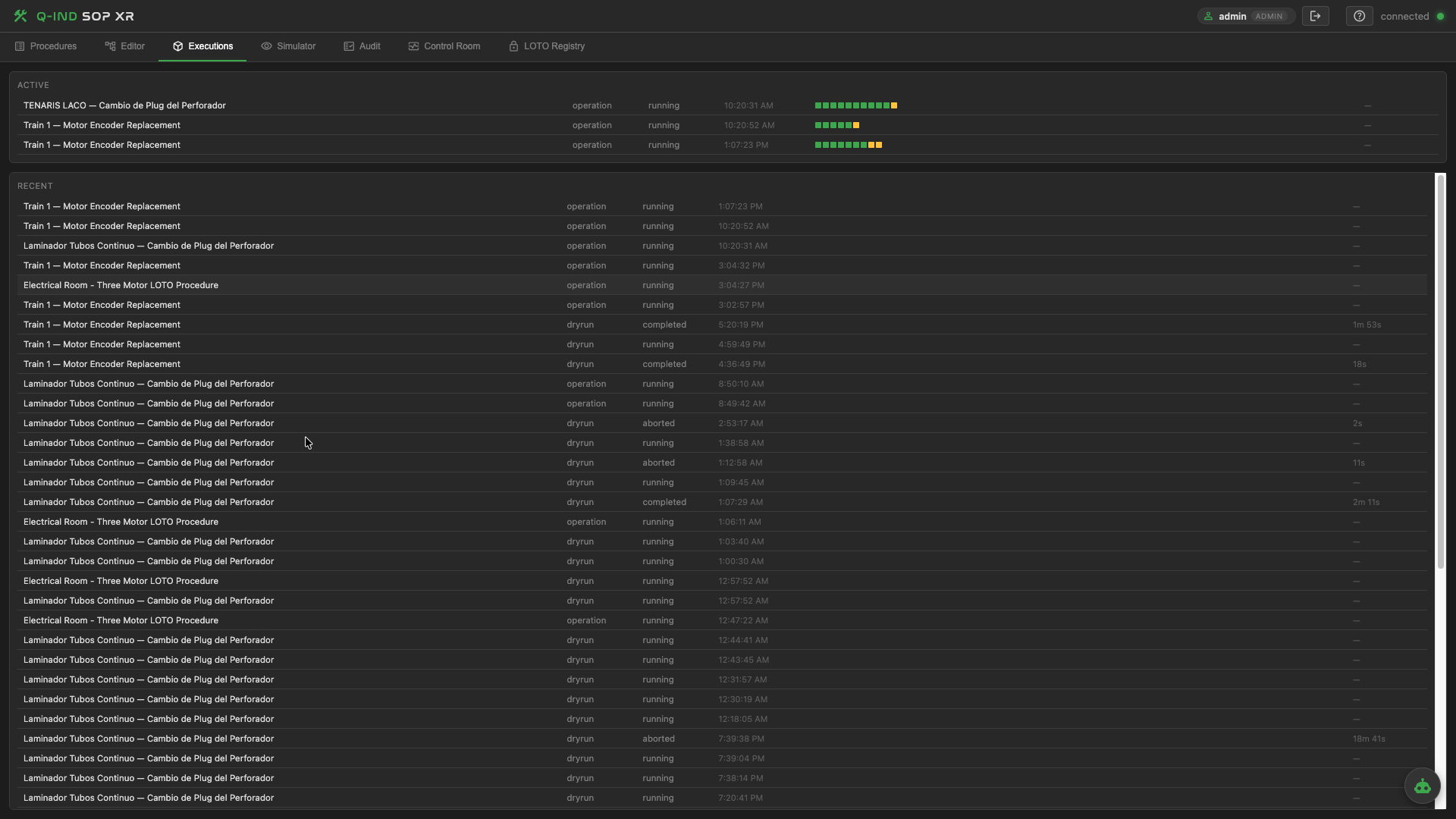
The same audit trail feeds both operations and maintenance workflows — substation switching sequences on the ops side, LOTO-protected maintenance runs on the other. All searchable, all exportable, all defensible.
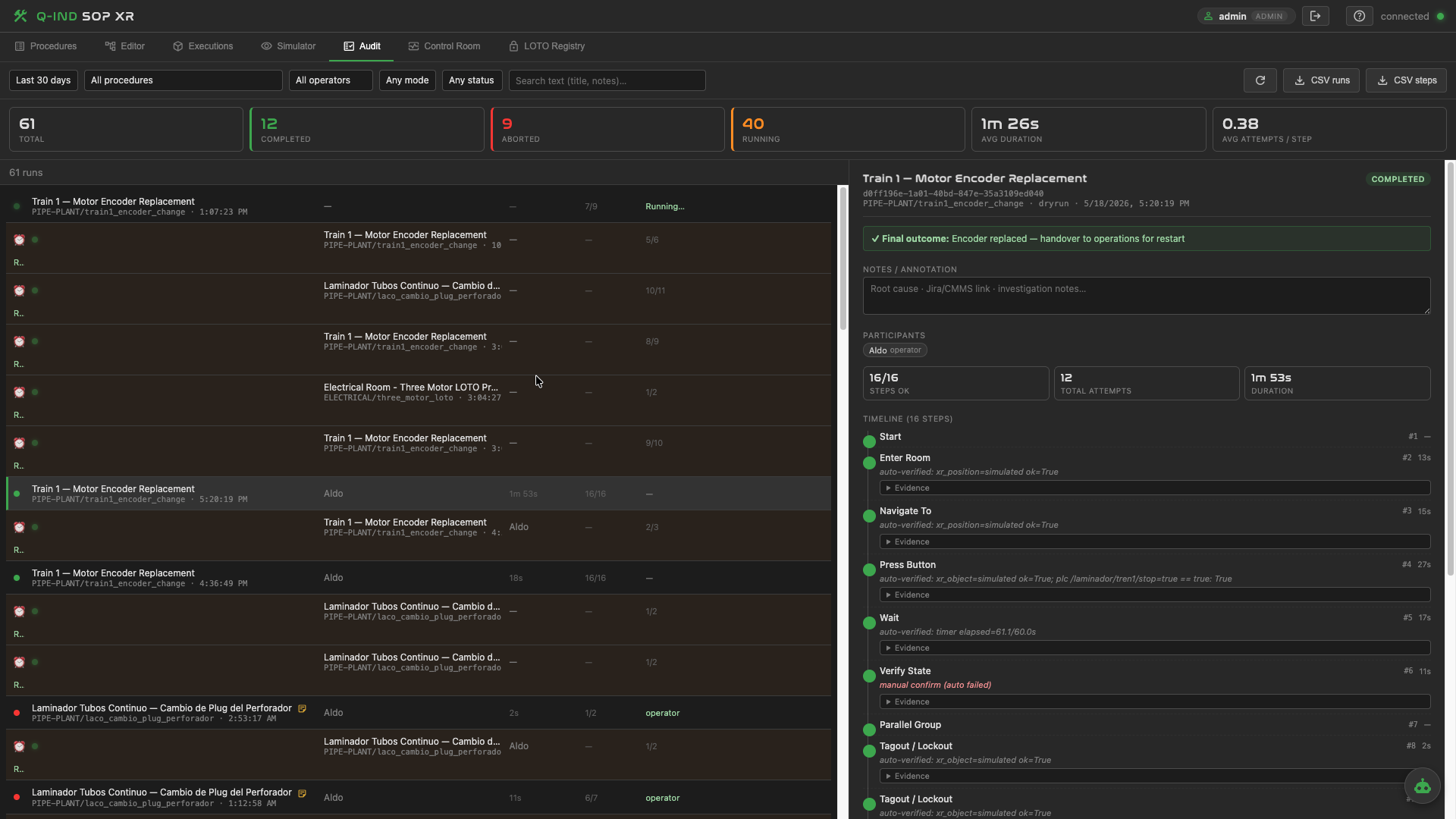
Aggregate view over hundreds of runs: deviation rate per procedure, average step duration vs. estimate, safety events per shift. The signal you need to actually improve your procedures — not just archive them.
— VR training & certification (Q-XR Studio) —
The Q-XR Studio companion turns the same asset catalog and procedure model into a VR training scenario. Trainees rehearse in a virtual substation, get scored on every action and receive a defensible certification — before they touch real gear.
Author the maneuver once. Publish to the field (AR) for on-site execution. Publish to VR for training and certification. The catalog, the audit trail and the scoring stay coherent across both worlds.
Q-SOP-XR is not a walled garden. It plugs into your existing SCADA, PLCs, sensors, work-order system and identity provider — and inherits QUANTUM Industrial Studio's driver library.
Siemens S7 (via Q-IND RT), Allen-Bradley, Modbus, OPC-UA, EtherNet/IP, Mitsubishi, Schneider, Opto22.
Balluff IO-Link, IO-Link masters, industrial IIoT gateways — live values appear as AR labels in-context.
IBM Maximo, SAP PM — work-order pull, step compliance push, evidence archival.
MQTT & WebSocket bridge to QUANTUM Industrial Studio — the same tags, historised, alarmed, charted.
JWT-based authentication with per-company / plant / line scoping. Fits behind your SSO.
USDZ / GLB models for Apple Vision Pro, iPad AR and Meta Quest — imported directly from CAD or scanned in place.
Anywhere a wrong step is dangerous, expensive or hard to prove after the fact.
Q-SOP-XR ships as a module of QUANTUM Industrial Studio. No per-device or per-procedure license. Tell us about your plant — substation, melt shop, boiler house, cleanroom — and we'll scope a PoC with you.