The model of your works or of your existing facility, at real scale: walk it, query it and decide on it — in a mixed-reality headset or in the browser. Q-XR BIM is a bundled app of QUANTUM Industrial Studio, engineered by ANT Automation.
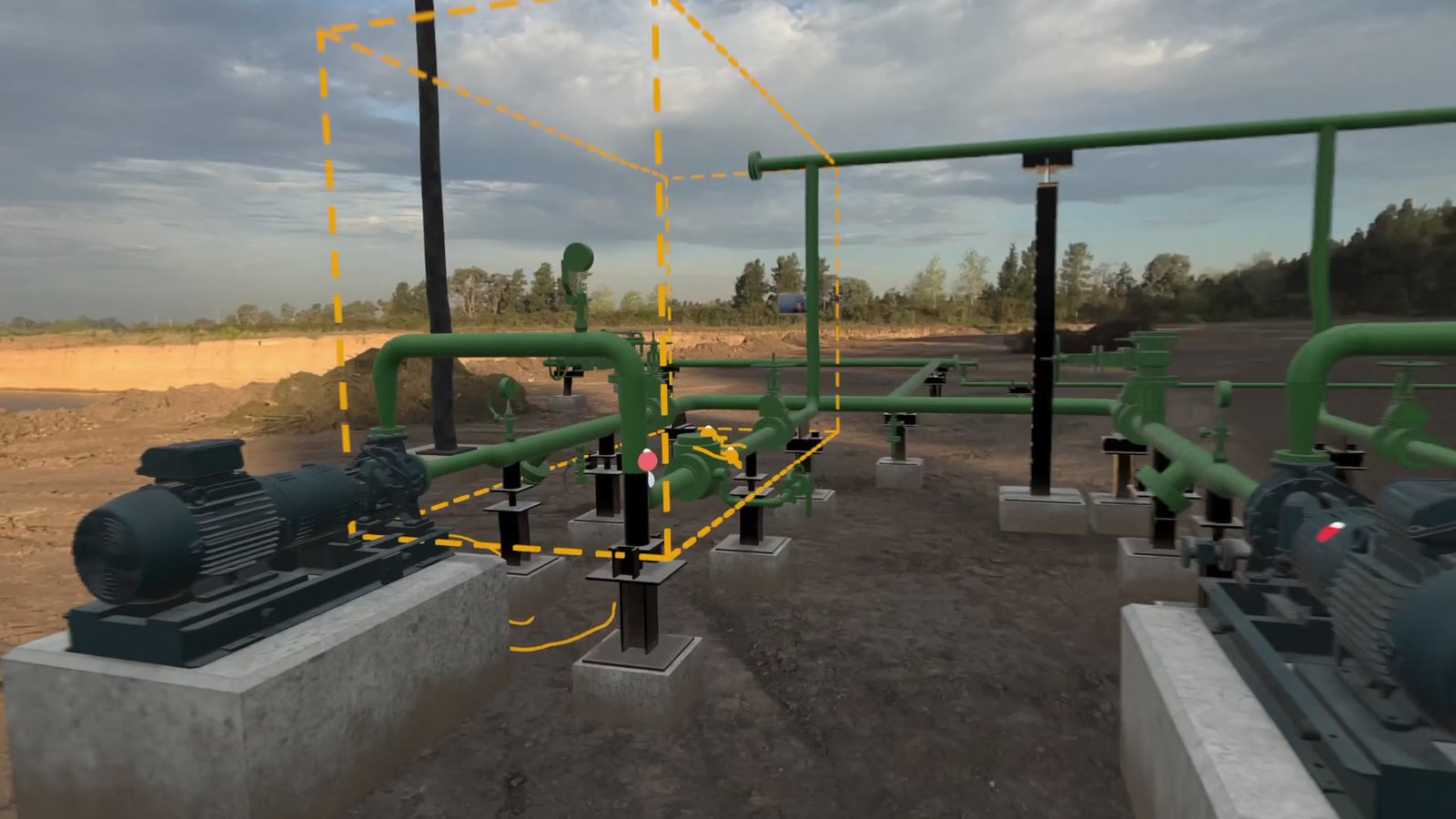
Your BIM is already valuable. It can do much more: beyond its usual uses, it helps avoid errors and solve problems, in the works and in operation.
Seen earlier, walking the design at real scale.
Taken today, with everyone inside the same model.
Each one stays at its place, with owner and date.
The place is known at real scale before going.
Each one stays at its place, with photo, owner and date.
It is on the equipment, in the model. Search by name.
Each person comes to the model with a question. These are the eight it answers, and how each one is measured.
“What is that place like? Does the equipment fit?”
Anyone gets to know the place at real scale, without going there or stopping the service.
Measured by reconnaissance visits avoided; hours of work window saved.
“What is this equipment? Where are its drawings?”
Each piece with its data sheet, drawings, manuals and photos, where it stands.
Measured by time to find a piece of information.
“Can we all see it, together, now?”
Operations, maintenance and contractors inside the same model, each from wherever they are, with voice and video.
Measured by visits and trips avoided; days from question to decision.
“Who solves it, and by when?”
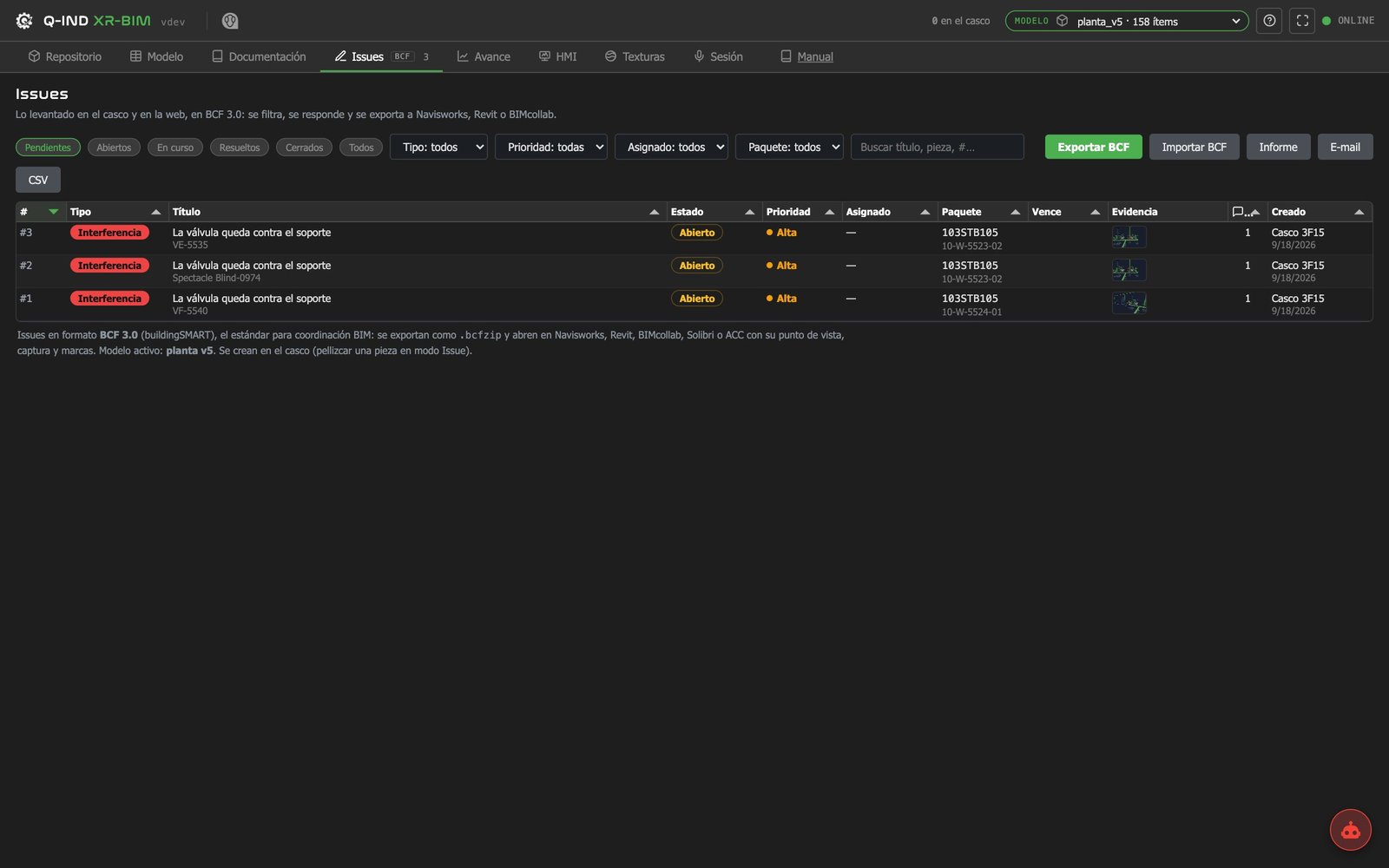
Each problem stays at its exact place in the model, with photo, video and voice, owner and date, in the open BCF format.
Measured by issues opened and closed per week; mean time to close.
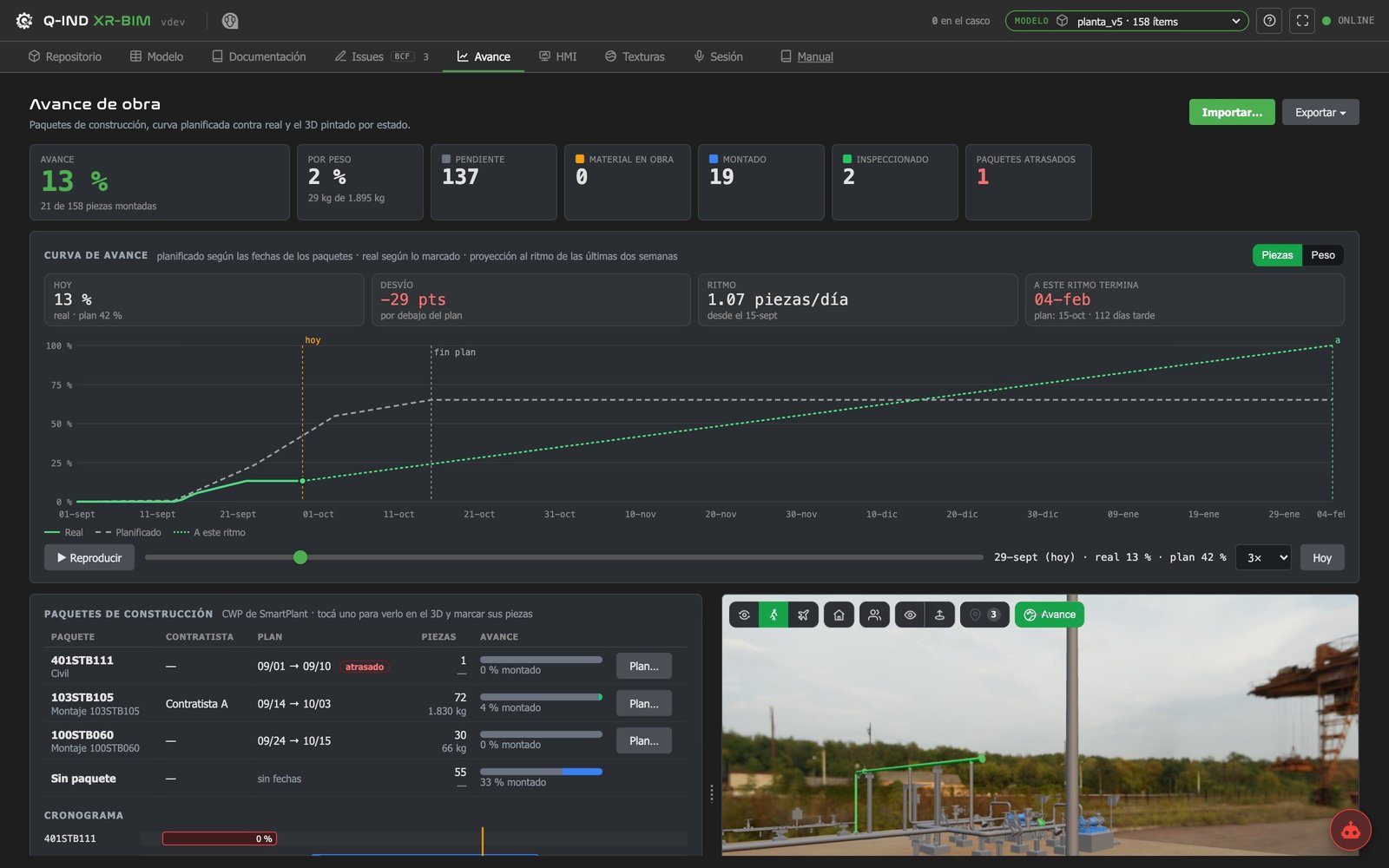
“Are we on schedule? What if we change it?”
The model painted by state of the works, planned against built; a change is tried on the model of what exists before doing it.
Measured by deviation against the plan; clashes found before the job.
“Where do the fans go? Where does the smoke go?”
Air, heat and smoke simulated on the model's geometry, comparing alternatives. Made to measure for each case; the final sizing is validated by a ventilation specialist under the applicable standard.
Measured by air speed and temperature at each point, per alternative.
“How is it running today?”
The variables of fans, pumps and switchboards on each piece of equipment of the model, with their alarms.
Measured by time to locate a fault.
“Do people know what to do, before doing it?”
Operation, maintenance and evacuation procedures rehearsed in the model before doing them on site. Made to measure.
Measured by on-site training hours; errors in the first intervention.
The same eight, for works that are being built and for a facility that is already in service.
| New works | Existing facility | |
|---|---|---|
| Walk it | Review the design before building | Know the place without stopping the service |
| Documentation | Delivered with the works | Rebuilt from a 3D scan and survey |
| Meetings | Designer, contractor and owner | Operations, maintenance and safety |
| Issues | Design and construction observations | Faults and maintenance backlog |
| Progress | Planned against built, piece by piece | Only in improvement works |
| Simulation | Size it before buying | Improve what is already installed |
| Live data | From commissioning | On the equipment in service |
| Training | Before start-up | New staff and contractors |
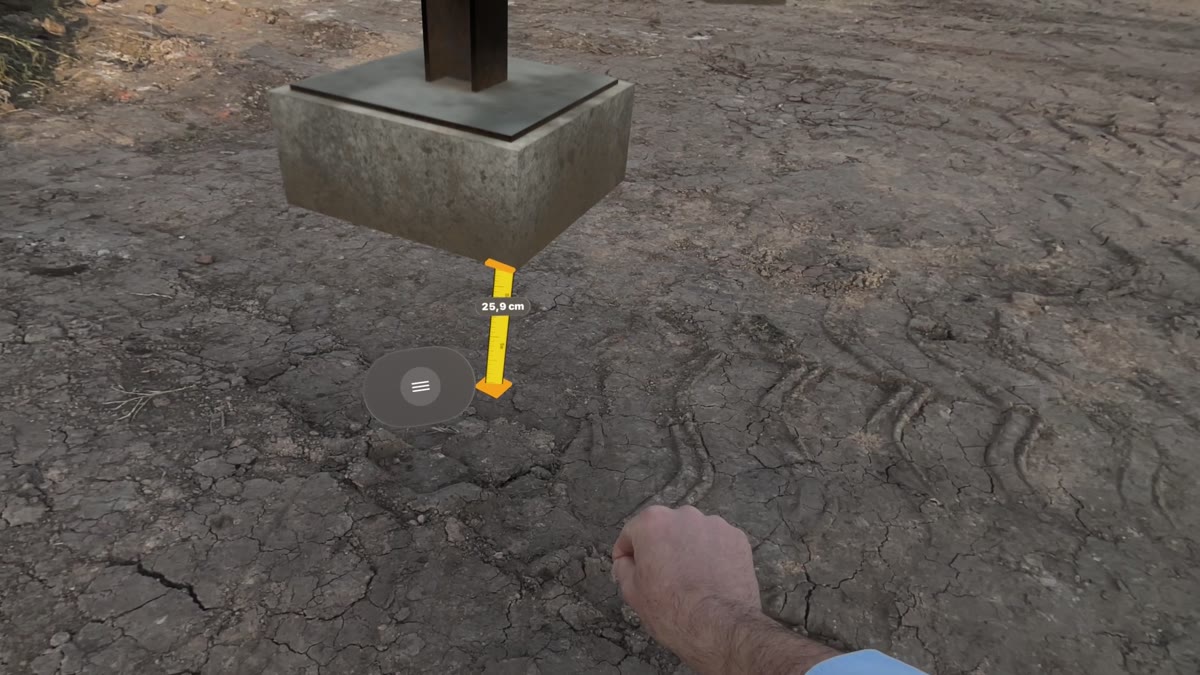
A review meeting held inside the model: the people on site wear the headset, the office joins from another headset or from a browser, and everybody looks at the same piece. Screens captured in Spanish.
| How it works | |
|---|---|
| Start | A session is started or scheduled from the web: room, model, date and guests, who receive the link and a reminder |
| Join | From the headset with one button (Call), or from a browser on a computer or a tablet, with microphone and camera |
| On site | The model at real scale over the real ground; the call keeps running while the person walks, measures and raises issues |
| In the office | The same model as a scale model on the table, with the people on site shown inside it; one button steps into it at 1:1 |
| Share | The headset shares what its wearer sees; a computer shares its screen, for example the design tool with the same model open |
| Each other | Participants in headsets see one another as avatars with hard hat, safety glasses and gloves, and point at the piece they talk about |
| What remains | The issues raised in the meeting, each with its piece, its marks and its view, in the same BCF list as the rest |
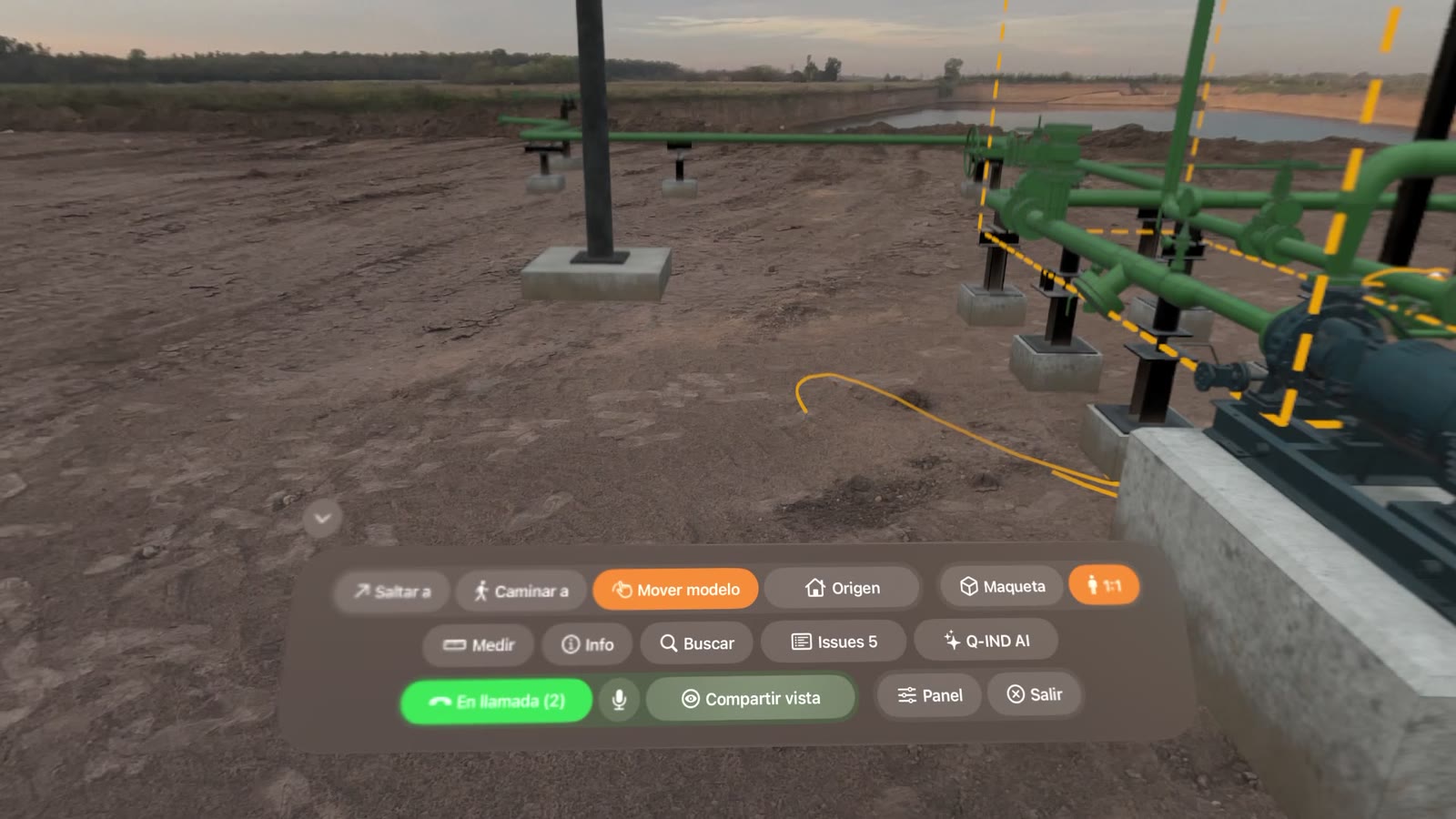
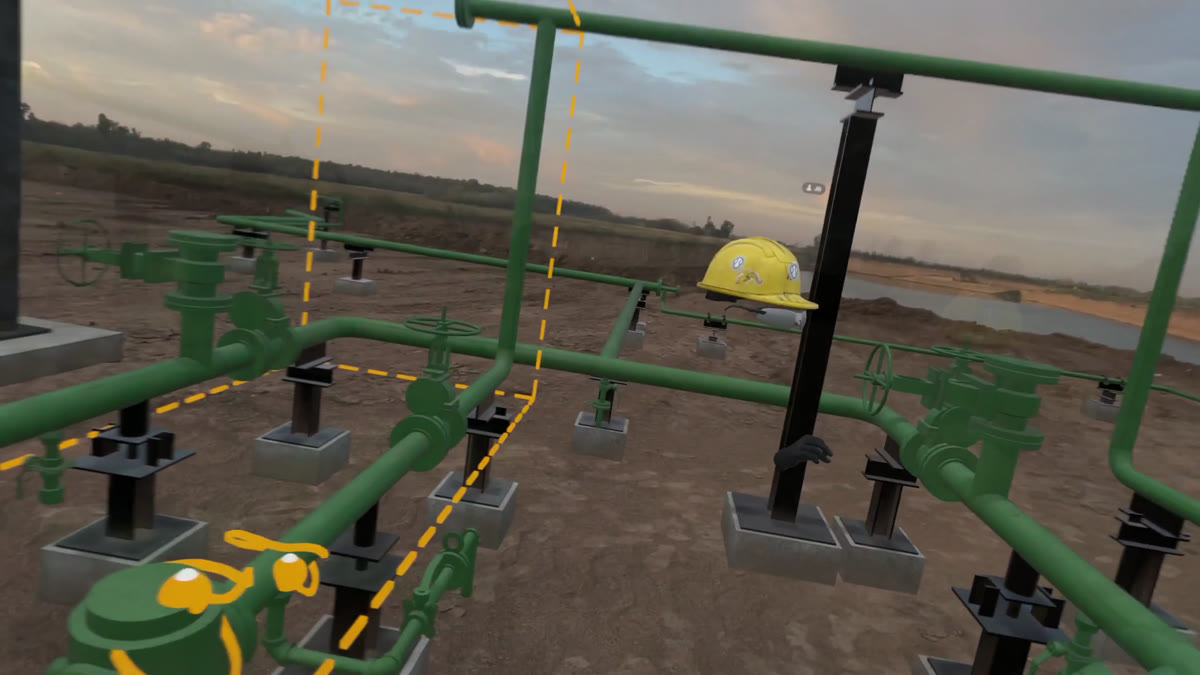
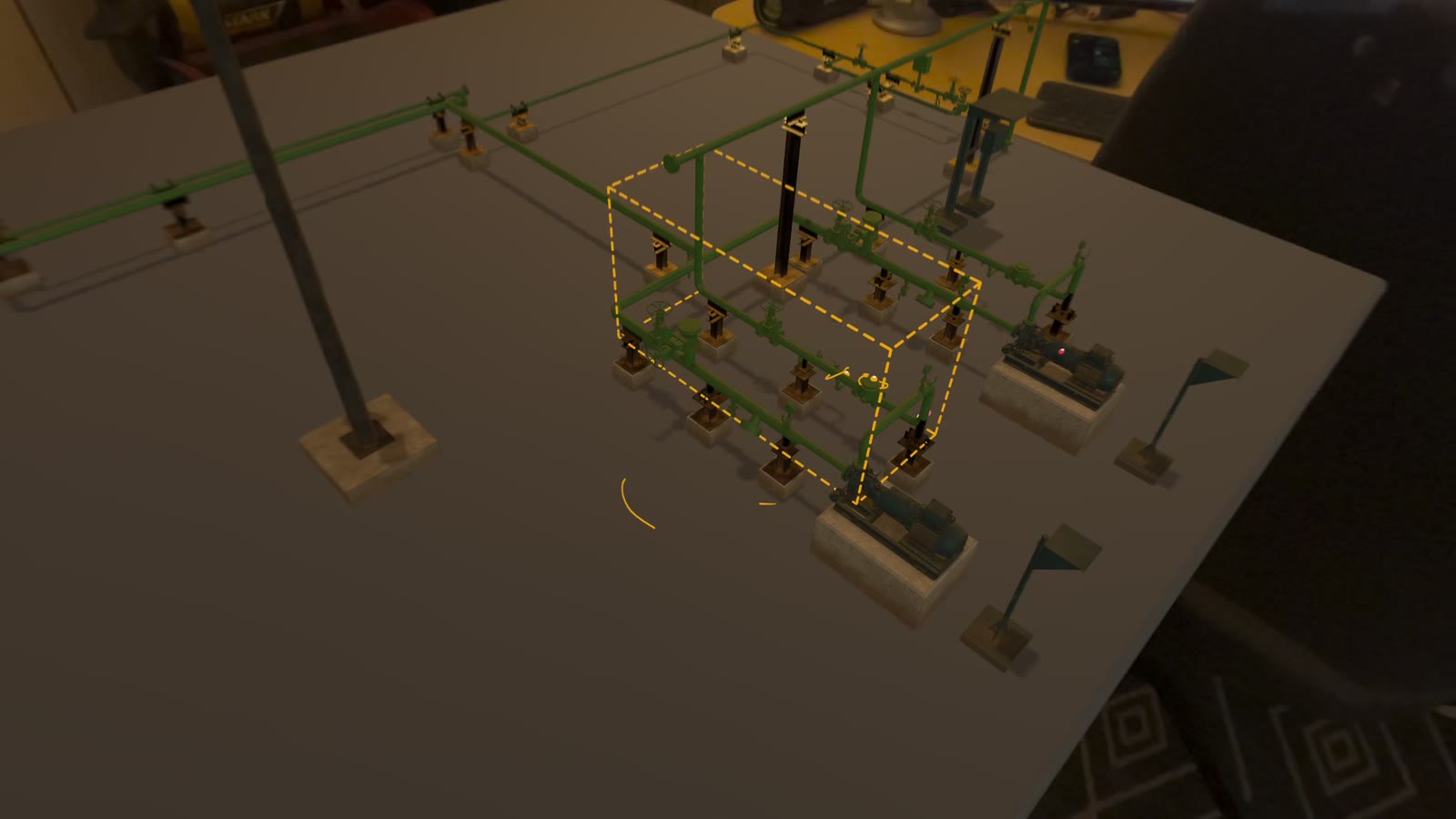
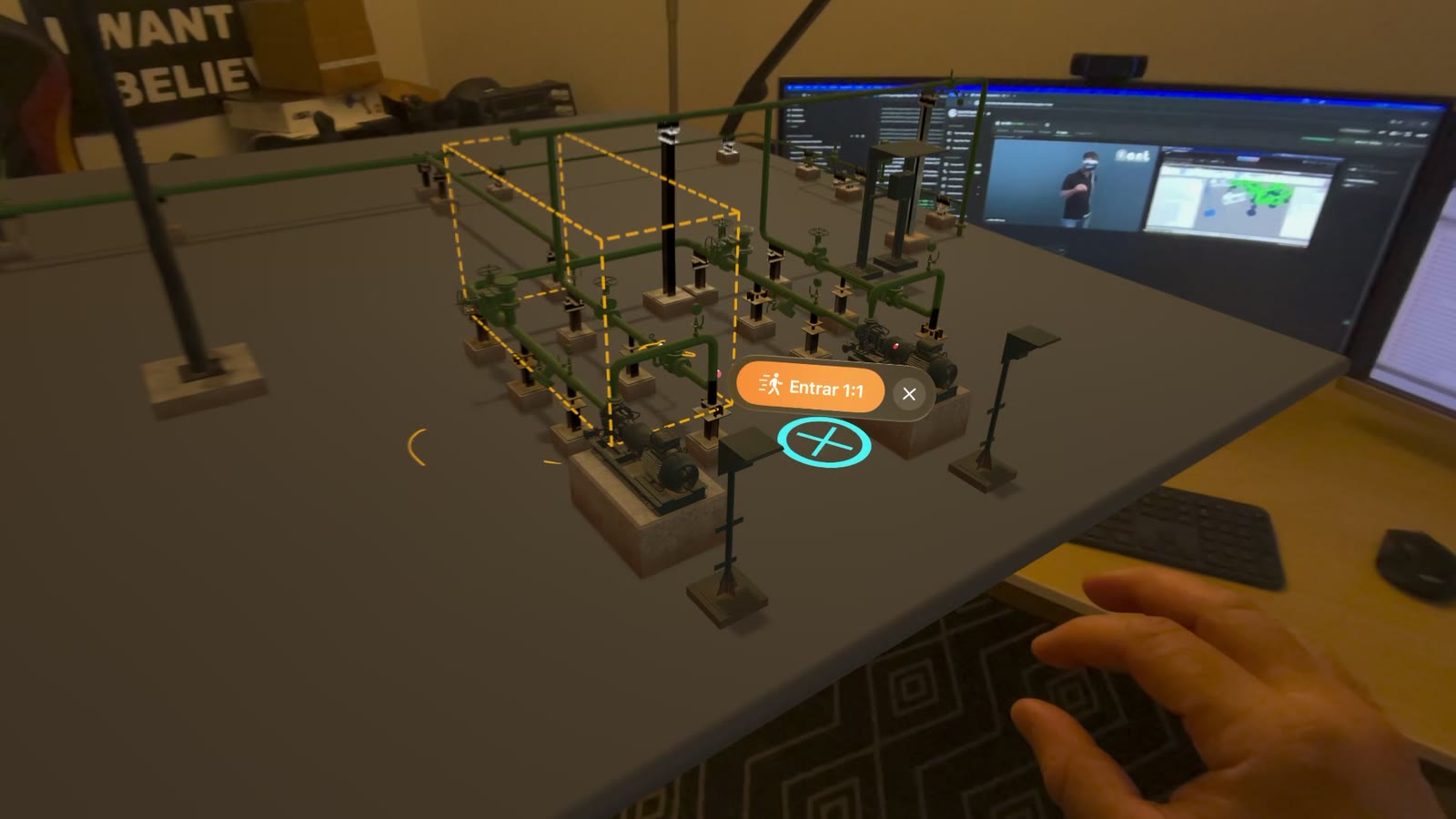
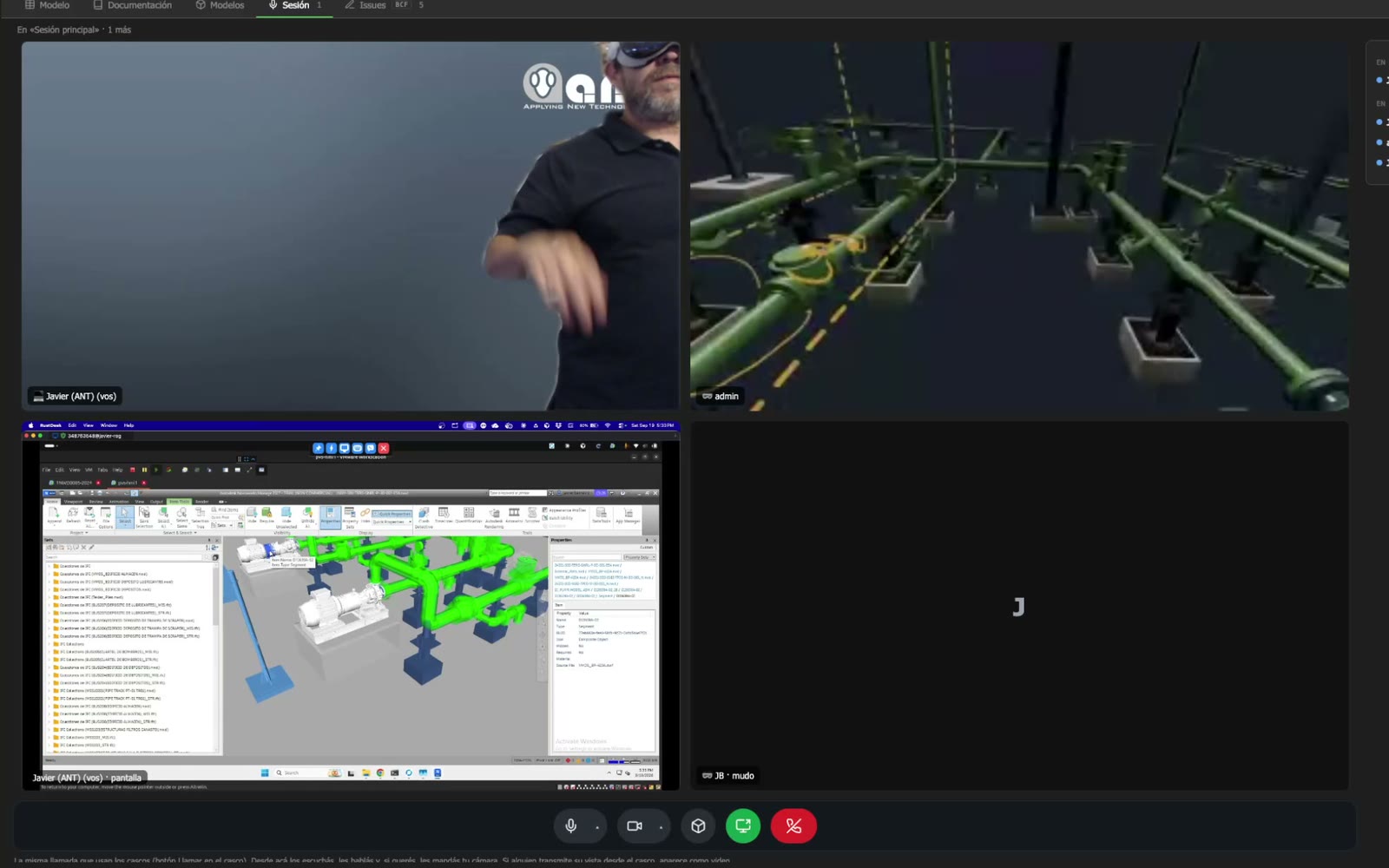
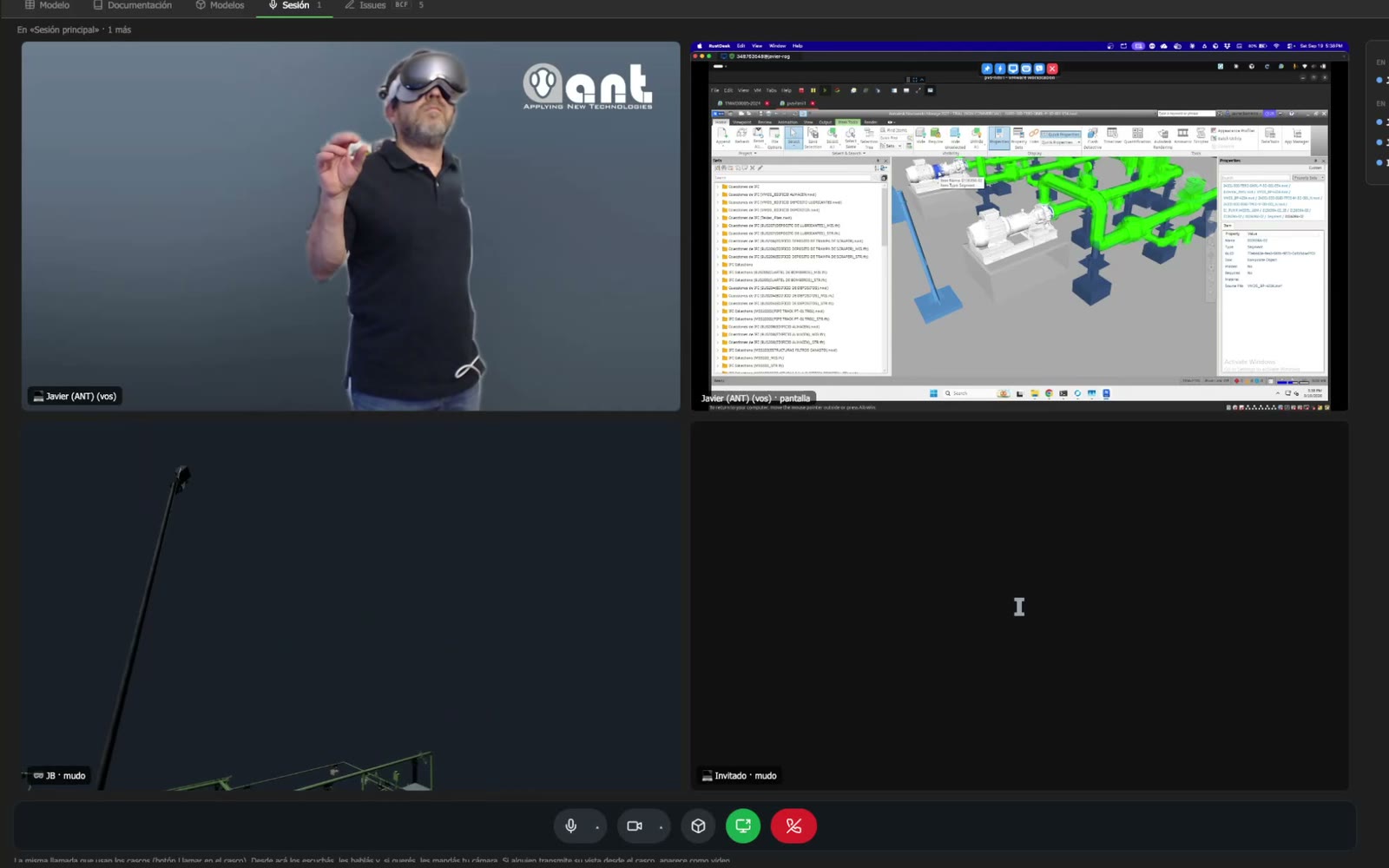
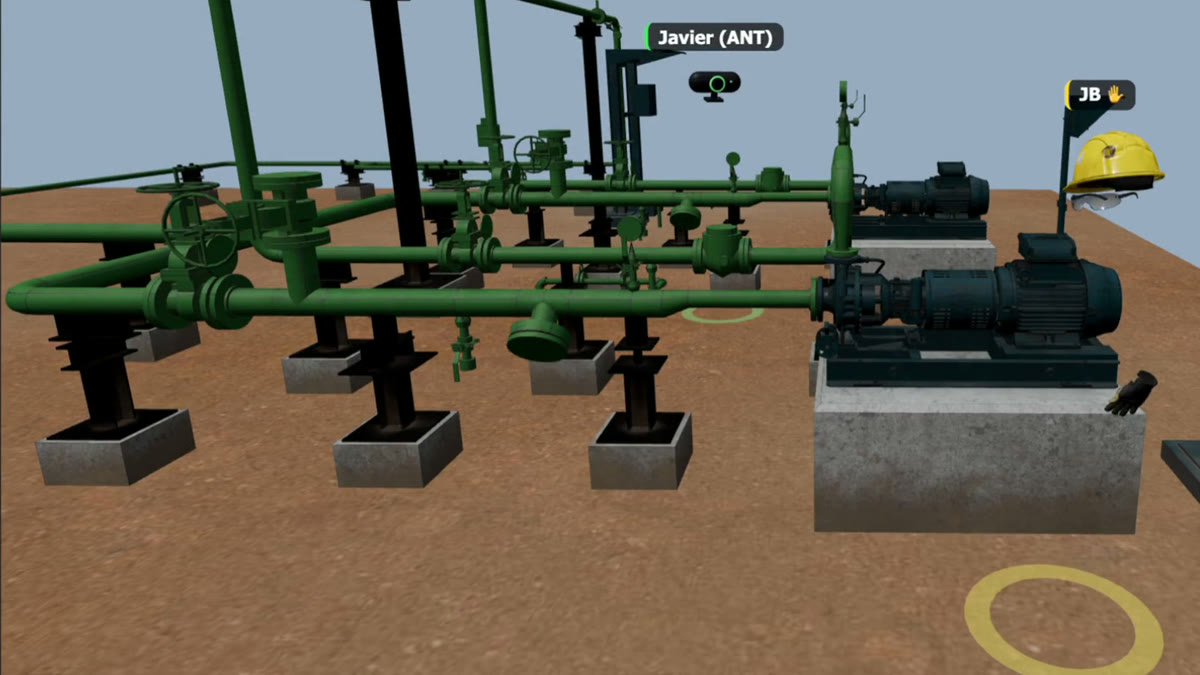
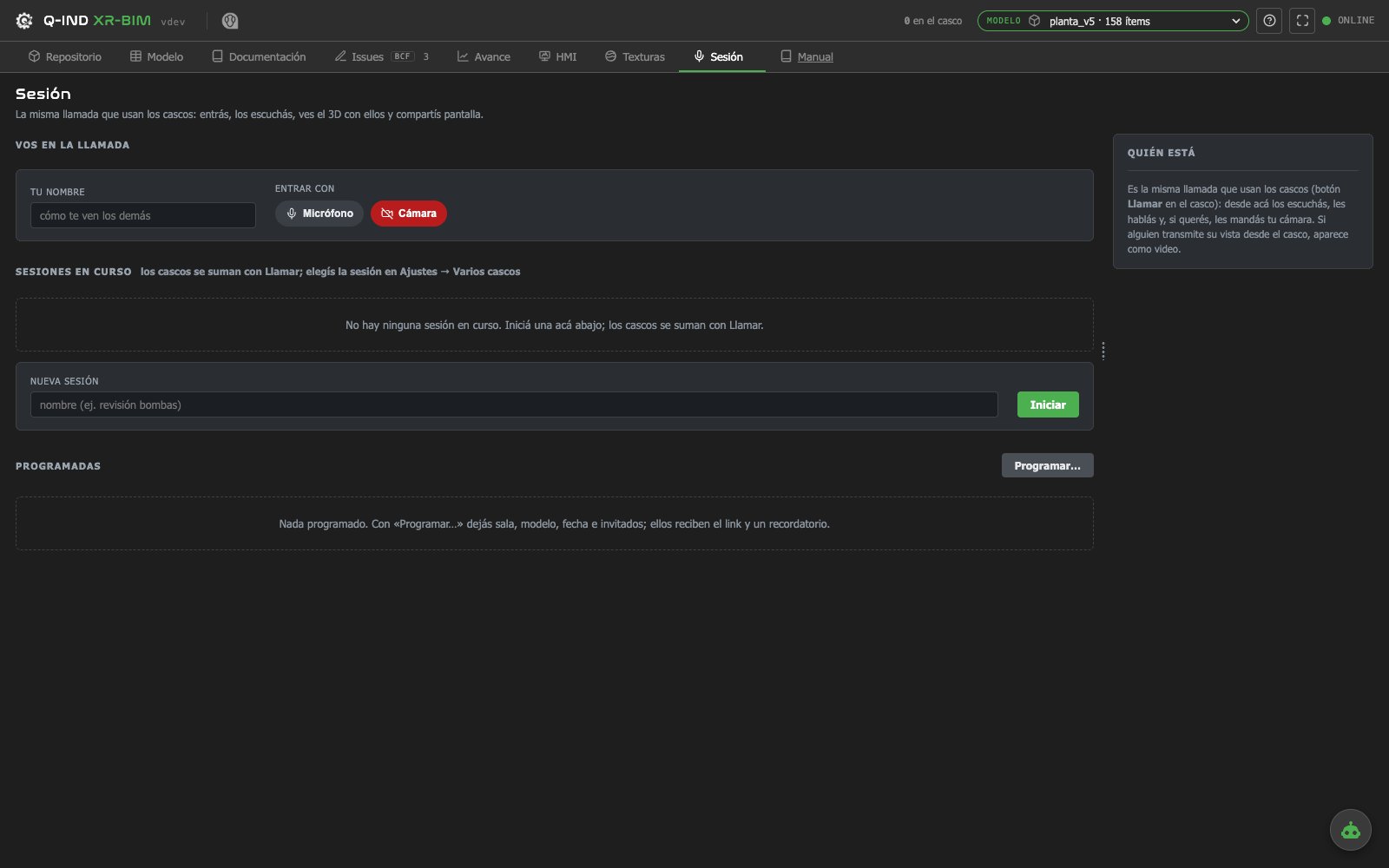
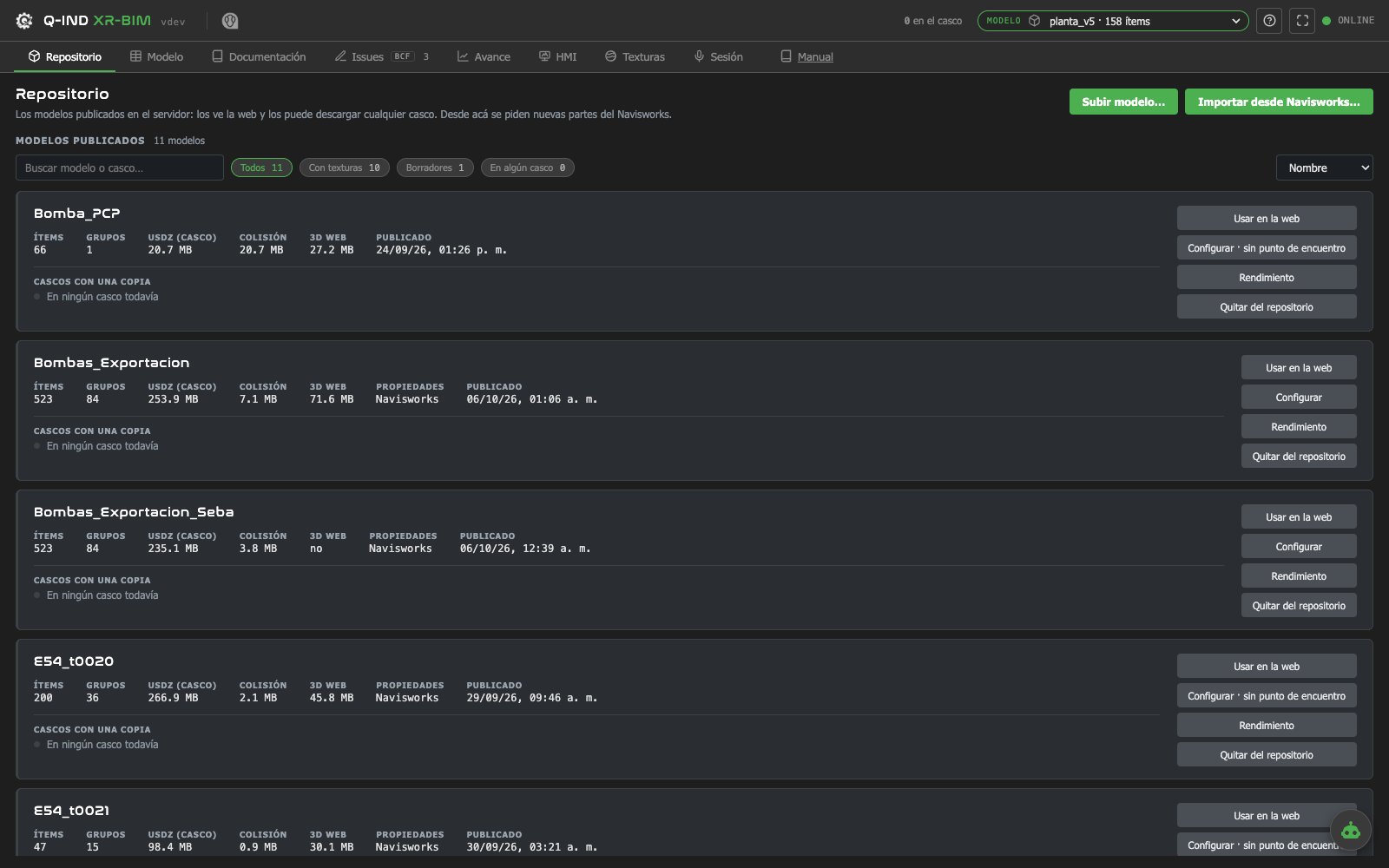
Captures from the headset and from the web, on the same model. Screens captured in Spanish.
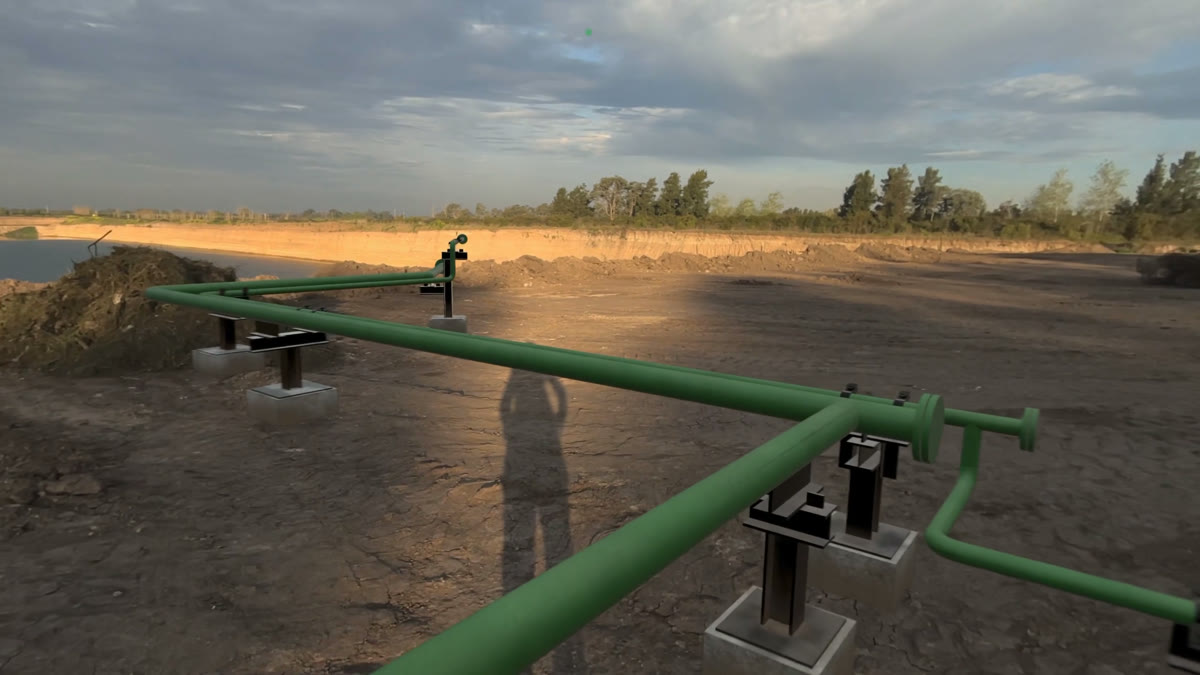
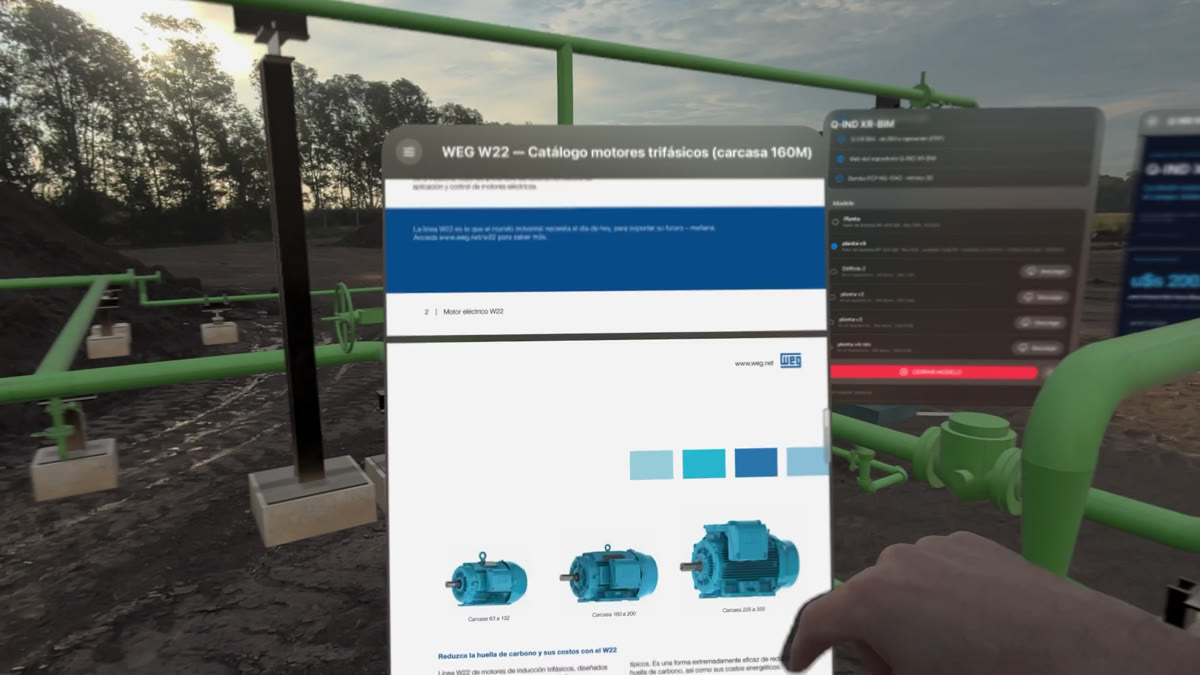
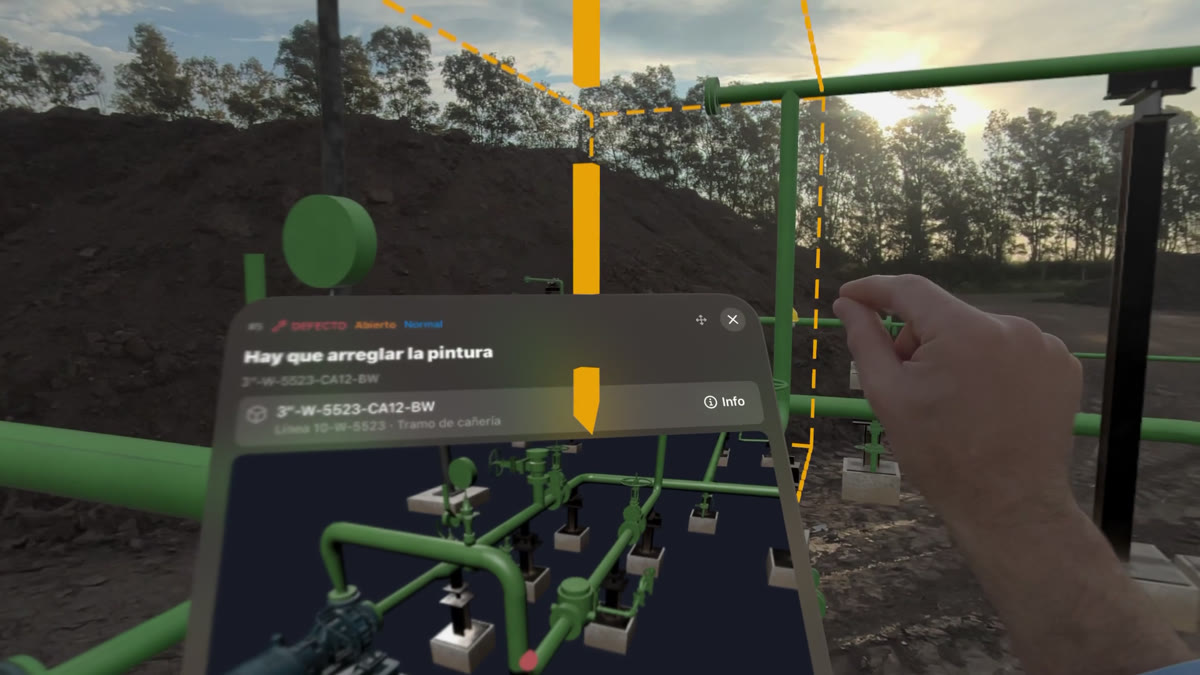
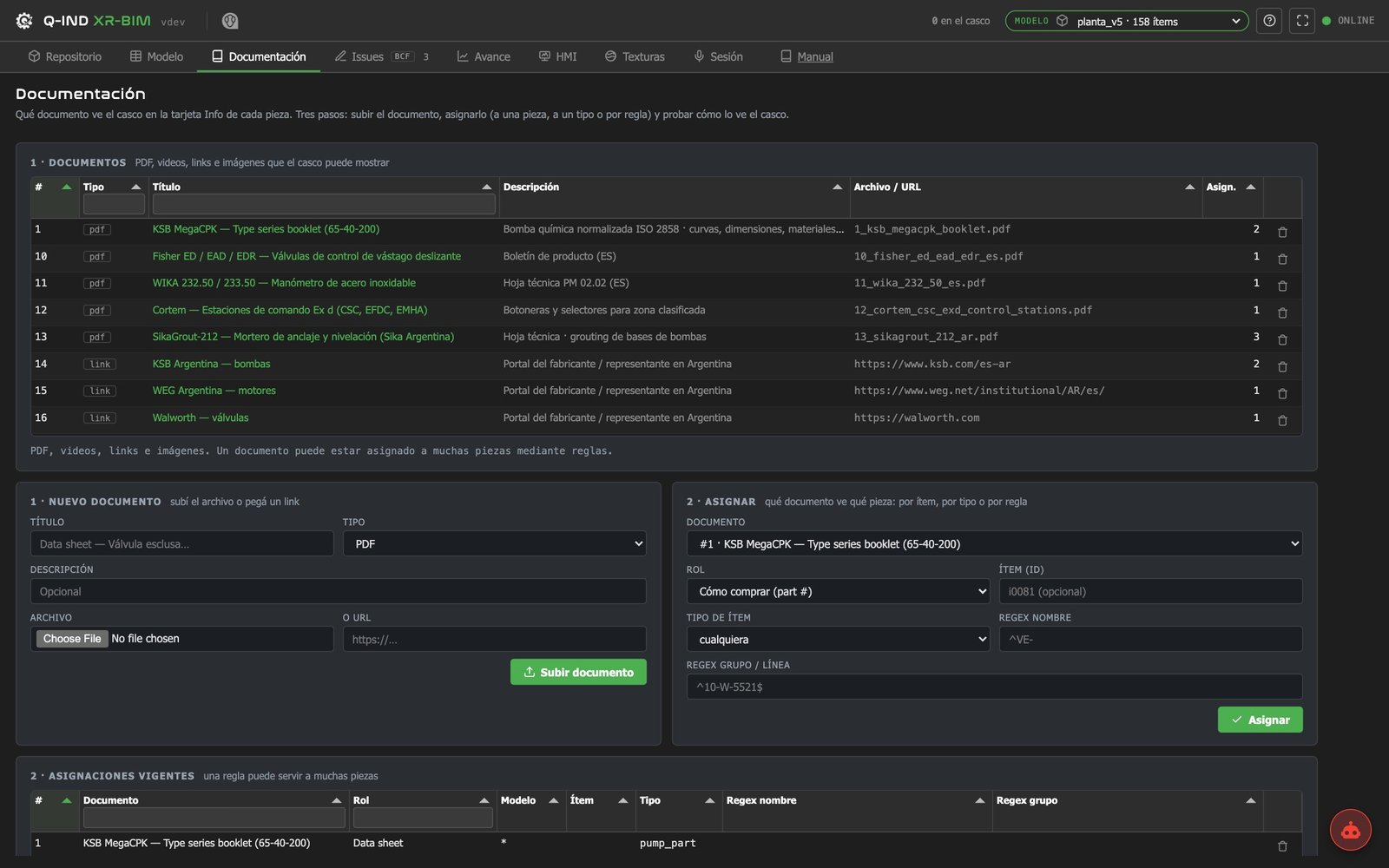
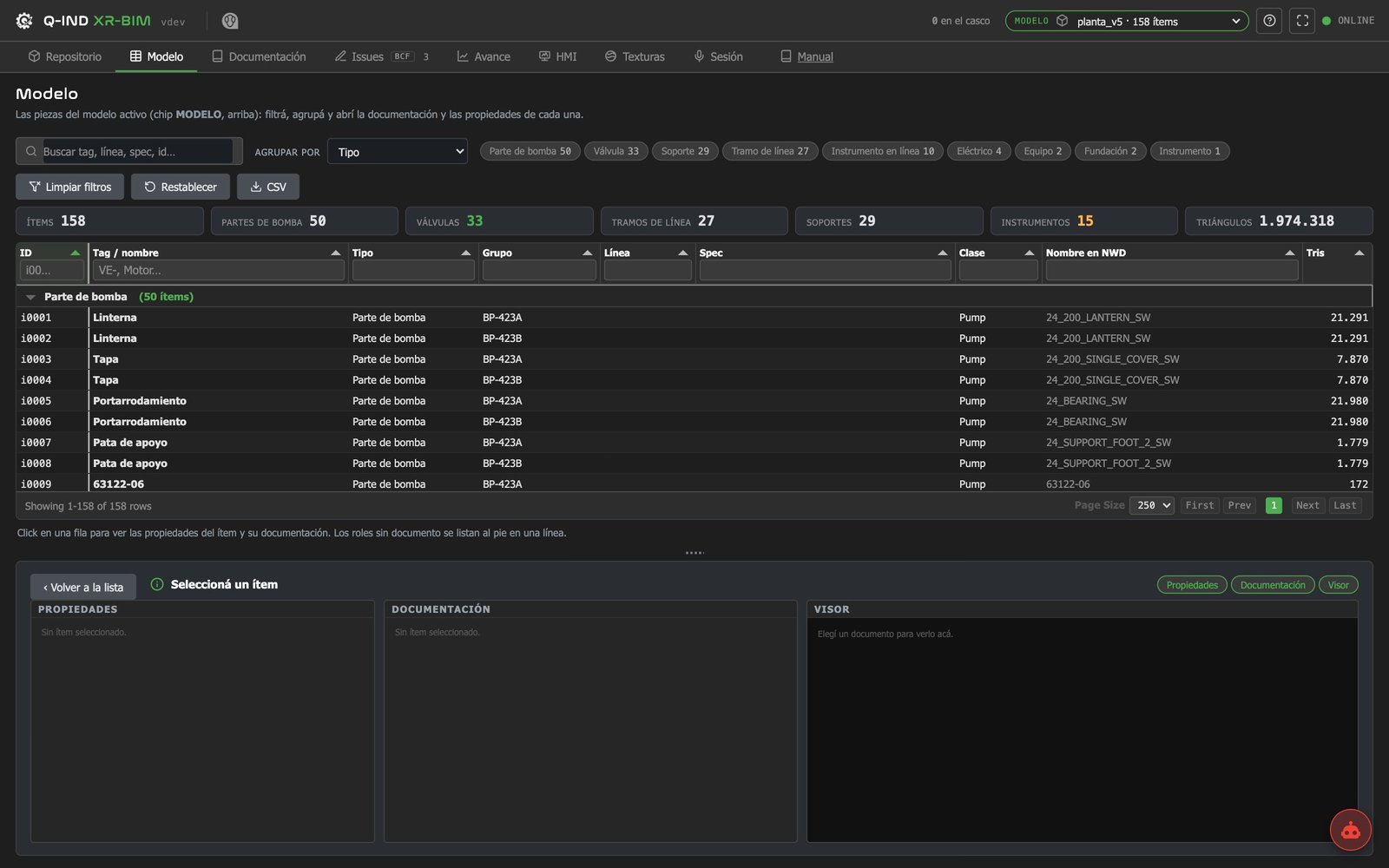
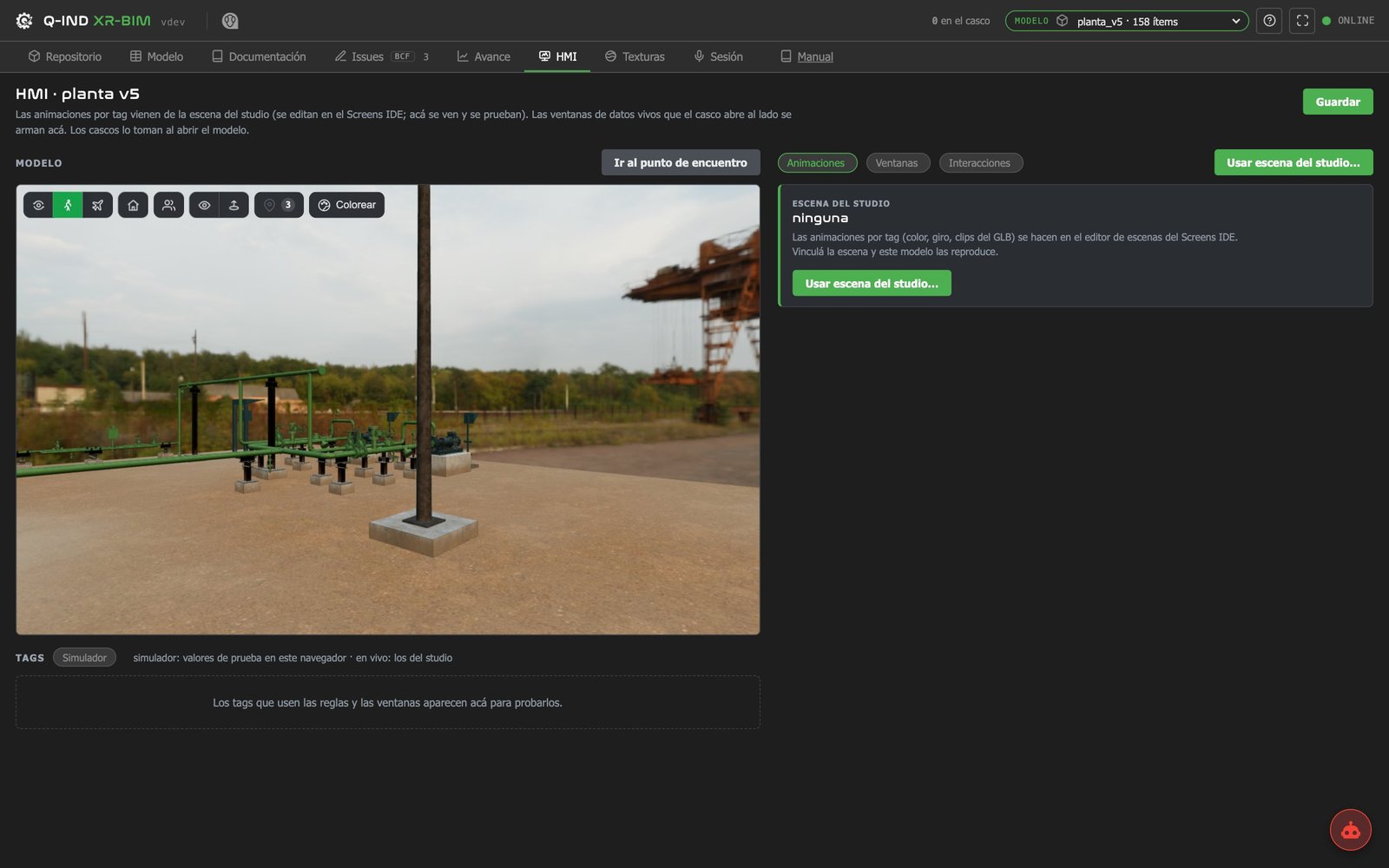
What comes with the app, and what is made for each case.
A pilot: one area, one month. From your side: one person who knows the place.
Walkable in the headset and on the web.
Your operations people walk it and leave their issues.
The one that matters most to you.
What was found, what was decided, how long it took.
These are industry figures; yours are measured in the pilot.
What costs 1 to fix in design costs 10 during construction and 100 in service.
The 1-10-100 rule of the cost of quality: Labovitz & Chang, 1992.
Inadequate interoperability costs the U.S. capital facilities industry USD 15.8 billion a year, and two thirds of it is paid by owners during operation and maintenance.
NIST GCR 04-867, 2004.
An Apple Vision Pro app, a web repository and an assistant, all on QUANTUM Industrial Studio. Models come from Navisworks; issues are exchanged in BCF 3.0.
Tell us about your works or your facility and the question that matters most to you. We reply by email and, when it fits, set up an online meeting.